

HTTP to HTTPS
Creating an HTTPS Server in Node.js
I was building a project in Node.js and noticed http://localhost:XXXXX in the browser’s address bar. That made me curious about how the HTTPS protocol is enabled in a server.
I explored how HTTPS works in Node.js, learned how certificates are used, and understood what changes are required to enable HTTPS. To reinforce my learning, I wrote a simplified blog explaining how to enable the HTTPS protocol in a Node.js application.
Why HTTPS Requires Extra Setup
An HTTPS server uses TLS (Transport Layer Security) to encrypt data.
Because of this, it requires cryptographic certificates.
To create an HTTPS server, you need two files:
key.pem→ the private keycert.pem→ the TLS certificate
Without these files, HTTPS cannot function.
History of TLS
TLS is the modern, secure successor to SSL.
SSL is obsolete; TLS is what HTTPS actually uses today.
Clear relationship
SSL (Secure Sockets Layer) came first (1990s).
TLS (Transport Layer Security) replaced SSL after its design flaws became clear.
TLS is effectively SSL v4 in spirit, but the name changed when the protocol was standardized and fixed.
Generating Certificates for Local Development
For local development, developers typically generate self-signed certificates.
openssl req -x509 -newkey rsa:4096 -nodes \
 -keyout key.pem \
 -out cert.pem \
 -days 365
This command:
Generates a new RSA key
Creates a self-signed certificate
Makes it valid for 365 days
This is standard OpenSSL behavior and works on any system with OpenSSL installed.
Creating a Basic HTTP Server
Before looking at HTTPS, it helps to understand the HTTP version.
import { createServer } from "http";

const port = 3001;

const server = createServer((req, res) => {
 const host = req.headers.host;
 const protocol = "http"; // always HTTP here

 res.statusCode = 200;
 res.setHeader("Content-Type", "text/plain; charset=utf-8");
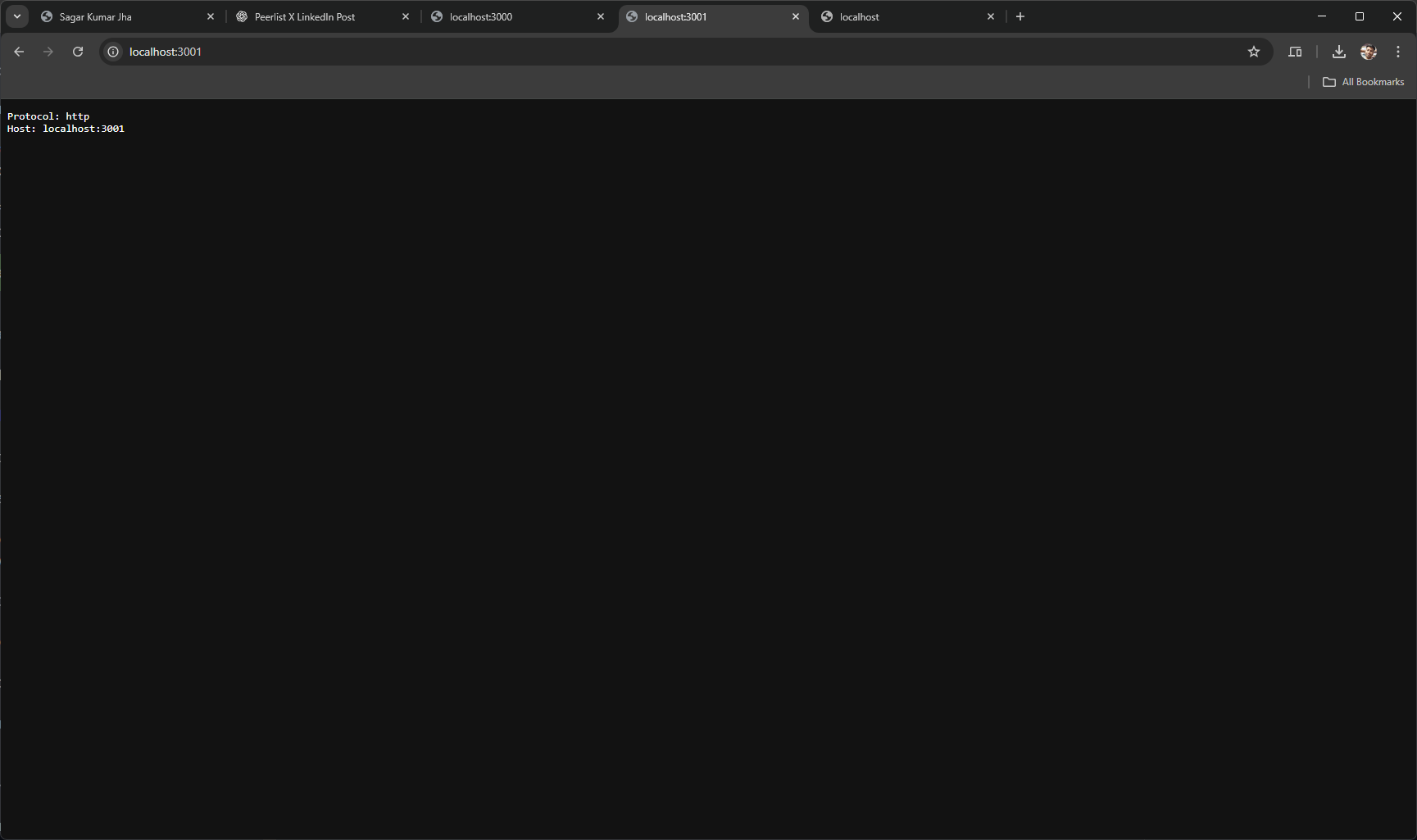
 res.end(`Protocol: ${protocol}\nHost: ${host}`);
});

server.listen(port, () => {
 console.log(`Server is running at http://localhost:${port}`);
});
Key points:
No certificates are required
The protocol is always HTTP
The server logic is straightforward
Output of HTTP web server
Creating an HTTPS Server
The HTTPS server looks almost identical, with one important difference: you must provide TLS options.
import { createServer } from "https";
import { readFileSync } from "fs";

const port = 3000;

const options = {
 key: readFileSync("key.pem"),
 cert: readFileSync("cert.pem"),
}; // TLS options required for HTTPS

const server = createServer(options, (req, res) => {
 const host = req.headers.host;
 const protocol = "https"; // always HTTPS here

 res.statusCode = 200;
 res.setHeader("Content-Type", "text/plain; charset=utf-8");
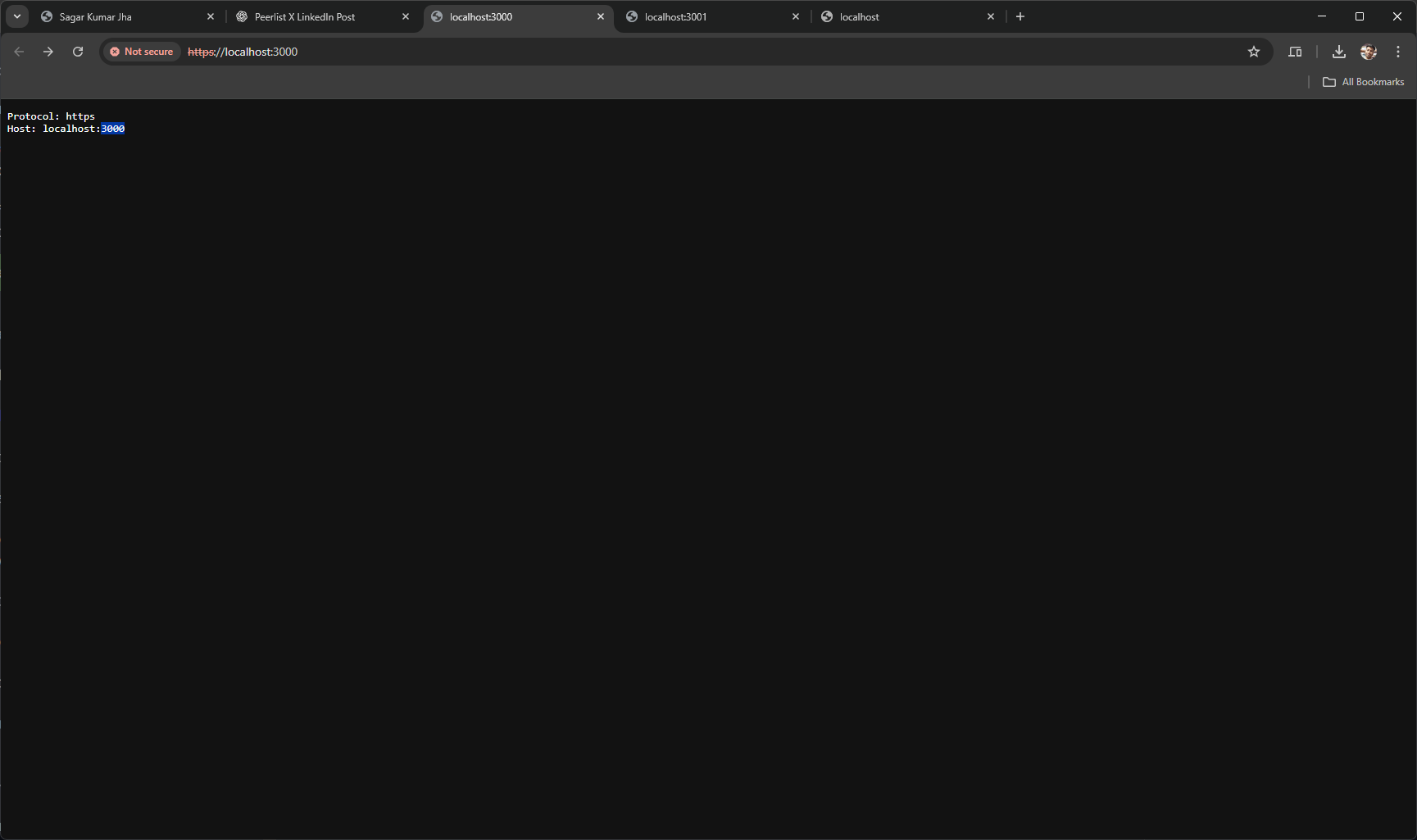
 res.end(`Protocol: ${protocol}\nHost: ${host}`);
});

server.listen(port, () => {
 console.log(`HTTPS server running at https://localhost:${port}`);
});
What changed compared to HTTP:
Import comes from
httpsinstead ofhttpAn
optionsobject is passed tocreateServerThe protocol is implicitly HTTPS
Everything else remains the same.
Output of https enabled web server:
Why the Browser Shows “Not Secure”
When you open https://localhost:3000, the browser usually shows “Not Secure”.
This happens because the certificate you generated is:
Not issued by a trusted Certificate Authority (CA)
Unknown to the browser’s trust store
Browsers only trust certificates signed by recognized authorities such as:
Let’s Encrypt
DigiCert
GlobalSign
System-trusted internal CAs
A self-signed certificate is not trusted by default.
Important Clarification About Security
The “Not Secure” warning does not mean encryption is broken.
What actually works:
TLS encryption ✅
Secure data transfer ✅
What fails:
Identity verification ❌
The browser warning simply means:
“I cannot verify who issued this certificate.”
How This Works in Production
In real-world production systems:
Node.js often runs without HTTPS
TLS is handled by:
Nginx
Cloudflare
Load balancers
Hosting platforms like Vercel or Netlify
The browser only ever sees a trusted certificate from a valid CA.
Final Takeaways
HTTPS requires TLS certificates
Node.js HTTPS setup is simple once certificates exist
Browser trust is outside Node’s control
Self-signed certificates are normal for local development
Production HTTPS relies on trusted certificate authorities
Understanding this separation removes most of the confusion around HTTPS.

Join Sagar on Peerlist!
Join amazing folks like Sagar and thousands of other builders on Peerlist.
2
3
0