

Recording Supademo walkthroughs with Playwright
Automate interactive product walkthrough recording using Playwright to drive Supademo's Chrome extension.
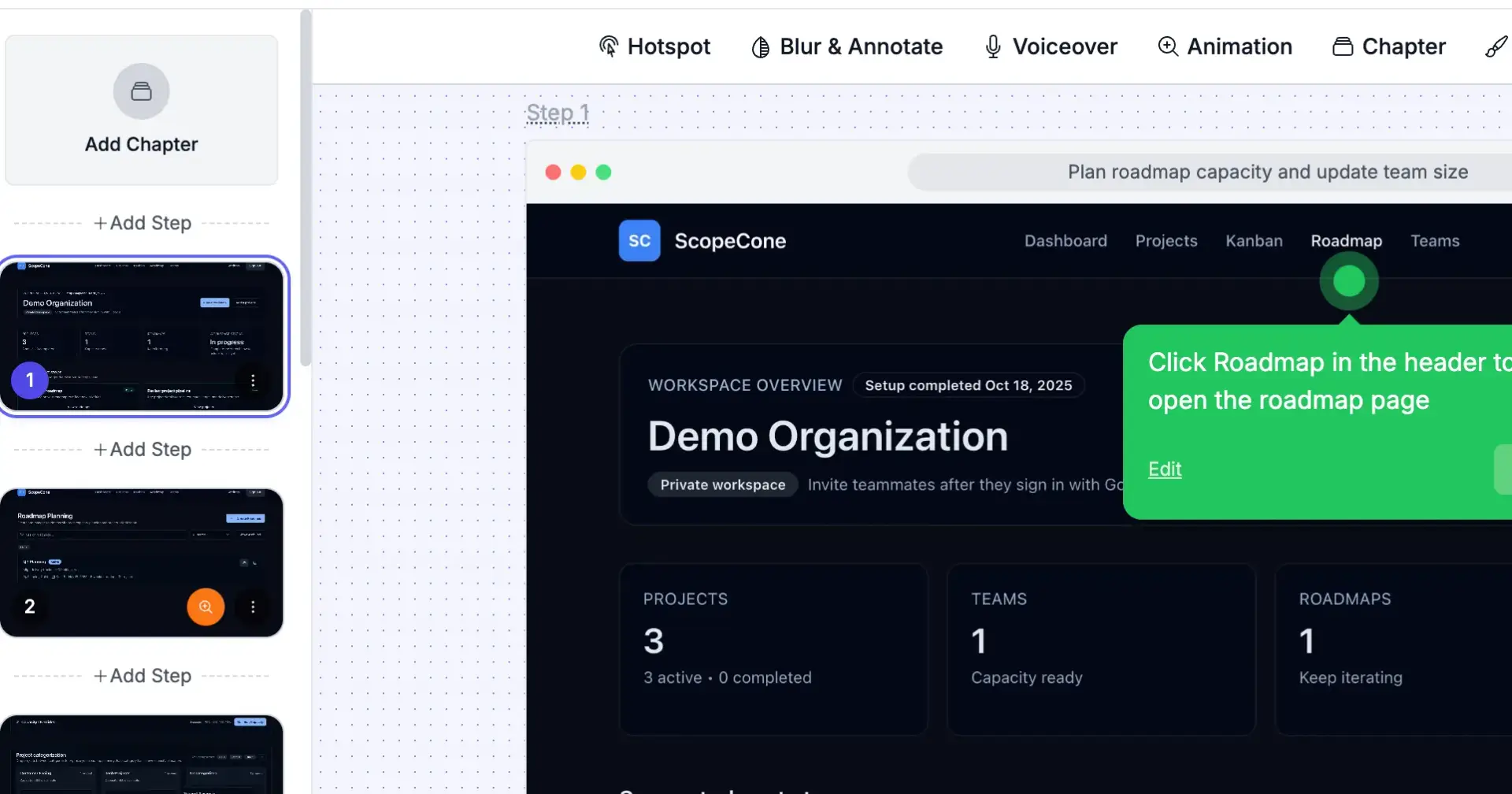
We needed an interactive product walkthrough to drive user signups. Supademo creates clickable demos where viewers step through your actual product UI, much more engaging than a static video. You install their Chrome extension, record yourself using your app, and Supademo captures each click as an interactive hotspot.
The catch: manually recording demos every time we update features doesn't scale. We wanted scripted, reproducible recordings using our existing Playwright test suite.
The problem
First runs failed immediately. Supademo detected the automation: hotspot counter jumped backwards, steps weren't saved. The Supademo extension didn't even load in Playwright's default Chromium. And when we added slow-mo to let Supademo capture each step, recordings hit Playwright's 60-second timeout before we could save.
The solution
We needed to make Playwright look human to Supademo and give it enough time to finish.
Launch real Chrome with the extension
Playwright's default Chromium doesn't support Chrome extensions. We point it to a real Chrome installation with a persistent user profile:
const browser = await chromium.launchPersistentContext(
 process.env.PLAYWRIGHT_USER_DATA_DIR || '/tmp/chrome-profile-stable',
 {
 channel: 'chrome',
 headless: false,
 slowMo: parseInt(process.env.PLAYWRIGHT_SLOWMO || '1500'),
 }
);
The persistent context loads Chrome with the Supademo extension already installed in the profile. No need to inject or configure the extension.
Bypass automation detection
Supademo checks for bots. We added an init script to hide navigator.webdriver, spoofed permissions and plugins, then replaced .click() with human-like actions:
Mouse movements with jitter
Separate mousedown/mouseup events
Randomized typing delays
Wheel-based scrolling
Navigate via link clicks instead of .goto() so Supademo tracks the flow
Wait for manual save
At the end of the script, we inject a "Resume automation" button into the page and wait for a click with an extended timeout (4 minutes). This gives us time to click the Supademo extension and save the recording. Without this, Playwright would close the browser immediately after the last action, killing the recording before we could save it.
await page.evaluate(() => {
 const button = document.createElement('button');
 button.id = 'resume-automation';
 button.textContent = '▶ Resume automation';
 // ... style and append to page
});

await page.click('#resume-automation', {
 timeout: parseInt(process.env.PLAYWRIGHT_MANUAL_TIMEOUT_MS || '240000')
});Result: Scripted, reproducible walkthrough recordings that Supademo accepts as human input.

Join Carlo on Peerlist!
Join amazing folks like Carlo and thousands of other builders on Peerlist.
0
9
0