

Mobile App Homescreen Design Examples and Inspiration
The home screen is the starting point of every mobile app experience. It is where users decide what to do next, how fast they can do it, and whether the app feels easy or frustrating. A well-designed home screen helps users take action without thinking too much.
In this article, we explore some of the most effective mobile app home screen designs from leading apps. Instead of only listing examples, this guide explains why these home screens work and how different design styles support different app goals.
Why the App Homescreen Matters More Than Any Other Screen
Once a user logs in, the home screen becomes their control center. It shows what matters most at that moment. A good home screen reduces effort and saves time.
A strong home screen helps users:
• Understand what the app offers
• Find important features fast
• Continue tasks without friction
• Feel confident using the app daily
If the home screen feels cluttered or unclear, users stop engaging. This is why the best apps treat the home screen as a priority, not an afterthought.
Different Apps Need Different Homescreen Structures
There is no single home screen layout that works for every app. The design depends on what the app does and how often users open it.
• Finance apps focus on clarity and numbers
• Super apps focus on fast access to many services
• Productivity apps highlight recent work
• Wellness apps focus on calm and guidance
• Communication apps prioritize updates and alerts
Common Patterns Found in High-Performing Homescreens
Across different app categories, the most effective home screens follow a few consistent design patterns. These patterns help users understand the interface quickly and take action with confidence.
• Clear visual hierarchy: Important information appears first, using size, colour, and spacing to guide attention. Users can instantly see what matters most without scanning the entire screen.
• One main action per section: Each section focuses on a single goal, such as checking progress, starting a task, or viewing updates. This reduces confusion and prevents users from feeling overwhelmed.
• Personal or contextual content: Home screens adapt to the user’s behaviour, location, or recent activity. This makes the experience feel relevant and useful every time the app is opened.
• Easy access to frequent tasks: Actions users perform often are placed within easy reach. This saves time and encourages repeat usage without extra navigation.
• Minimal learning curve: The layout feels familiar and intuitive. New users can understand how the app works without instructions or onboarding screens.
These patterns help users feel in control from the very first tap and make the app easier to use every day.
Mobile App Homescreen Design Examples
Gojek Homescreen
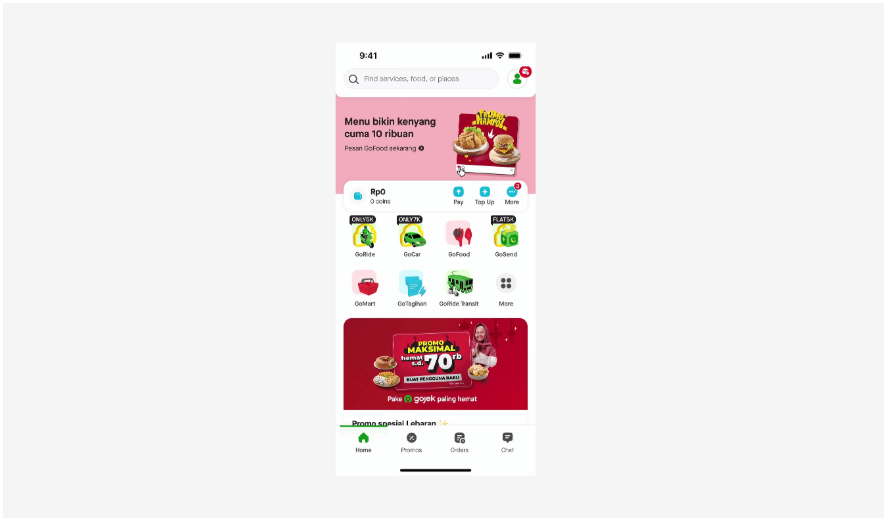
Gojek’s home screen is designed for speed and multitasking. It supports many services like rides, food, payments, and deliveries in one place. The layout uses icon grids and clear sections so users can act fast.
Services are grouped logically, which reduces confusion. The design works well for apps that offer multiple features and need quick access without clutter.
Microsoft Loop Homescreen
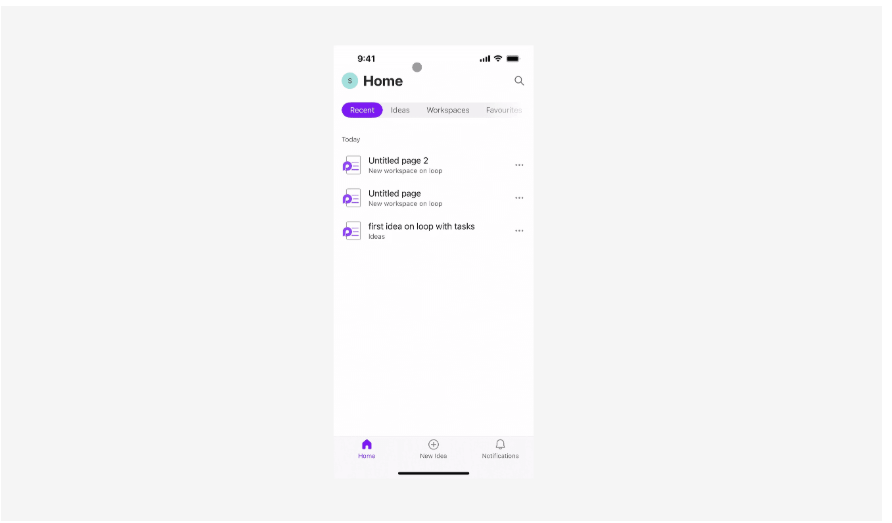
Microsoft Loop focuses on teamwork and shared work. The home screen highlights live components, shared spaces, and recent activity. Everything feels modular and flexible.
This design works well for productivity apps where users need to pick up work quickly and stay in sync with others across devices.
Slack Homescreen
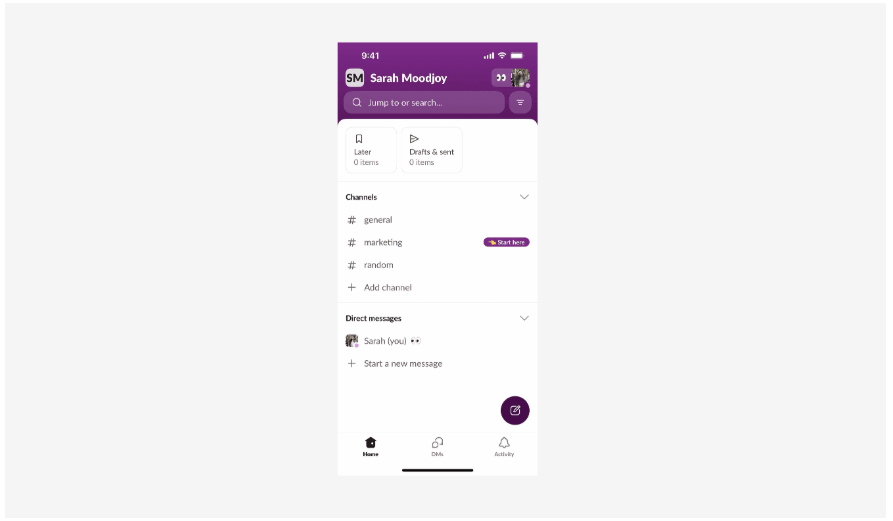
Slack’s mobile home screen turns complex communication into a clear flow. Channels, messages, mentions, and threads appear in structured sections.
Important updates get priority, while pinned conversations stay easy to reach. This design suits communication-heavy apps where clarity matters more than visuals.
Chime Homescreen
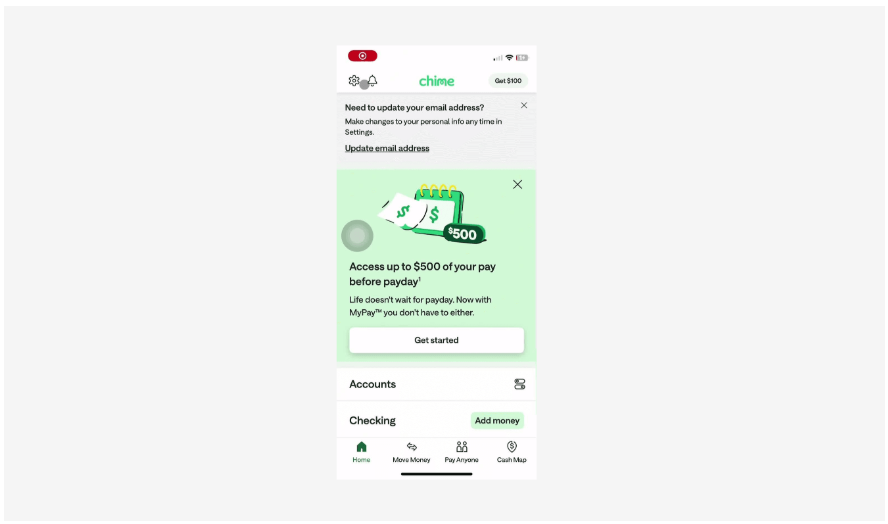
Chime’s home screen focuses on financial clarity. It highlights balances, recent transactions, and goals in a bold and clean layout.
Quick actions sit close to key numbers, so users can manage money without stress. This design works well for finance apps that need trust and simplicity.
Calm Homescreen
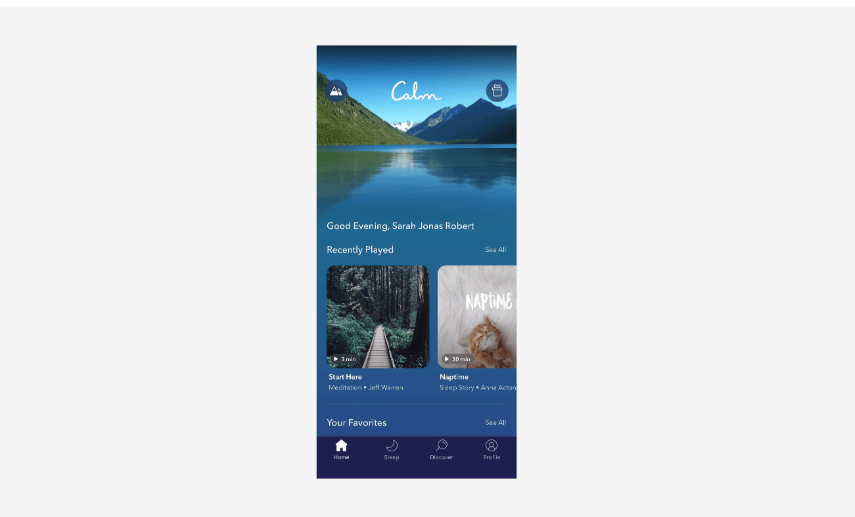
Calm uses soft colours, large spacing, and minimal text. The home screen helps users ease into the experience instead of rushing them.
Daily suggestions, guided sessions, and progress appear gently. This style fits wellness apps where emotional comfort matters as much as function.
How Designers Should Approach Homescreen Design
Designers should focus on user intent instead of visual trends. A good home screen answers one key question clearly: What does the user want to do right now?
To design more effective home screens, designers should follow these principles.
• Study real user behaviour: Understand how often users open the app and what they do first. Design around these habits.
• Prioritize actions over features: Highlight what users need to do, not everything the app can do. Features should support actions, not compete for attention.
• Reduce choices on the first screen: Fewer options lead to faster decisions. Keep the initial screen focused and uncluttered.
• Design for one-handed use: Place key actions where they are easy to reach, especially for mobile users on the move.
• Test for clarity, not just looks: A visually attractive screen is useless if users cannot understand it. Clarity should always come before style.
A simple and focused home screen performs better than a feature-heavy one because it respects the user’s time and attention.
Final Thoughts
A well-designed mobile app home screen sets the tone for the entire user experience. It helps users feel confident, reduces effort, and guides them toward meaningful actions.
The best home screens do not try to impress with complexity. They succeed by being clear, relevant, and easy to use. When design decisions are based on real user needs, the home screen becomes a powerful driver of engagement and long-term retention.
Designers who treat the home screen as a strategic layer, not just a visual surface, create apps that users return to every day.

Join Shantanu on Peerlist!
Join amazing folks like Shantanu and thousands of other builders on Peerlist.
0
0
0