

Prisma
A full guide to use prisma in your project (TypeScript as a language)
First of all let me clear we are creating a simple application in which we have to tables in out database
1. Users Table (id, Username , email, password, Todos[] )
2. Todos table (id, title , done, userId, and relation )
Steps to create / initialize the project ->
1. npm init -y

2. npm install prisma typescript //since i am using ts

3. npx tsc --init

//then config the ts setup (rootDir / outDir)

4. npm prisma init
After performing this steps You will see a folder prisma is being created and you code editor will looks like this
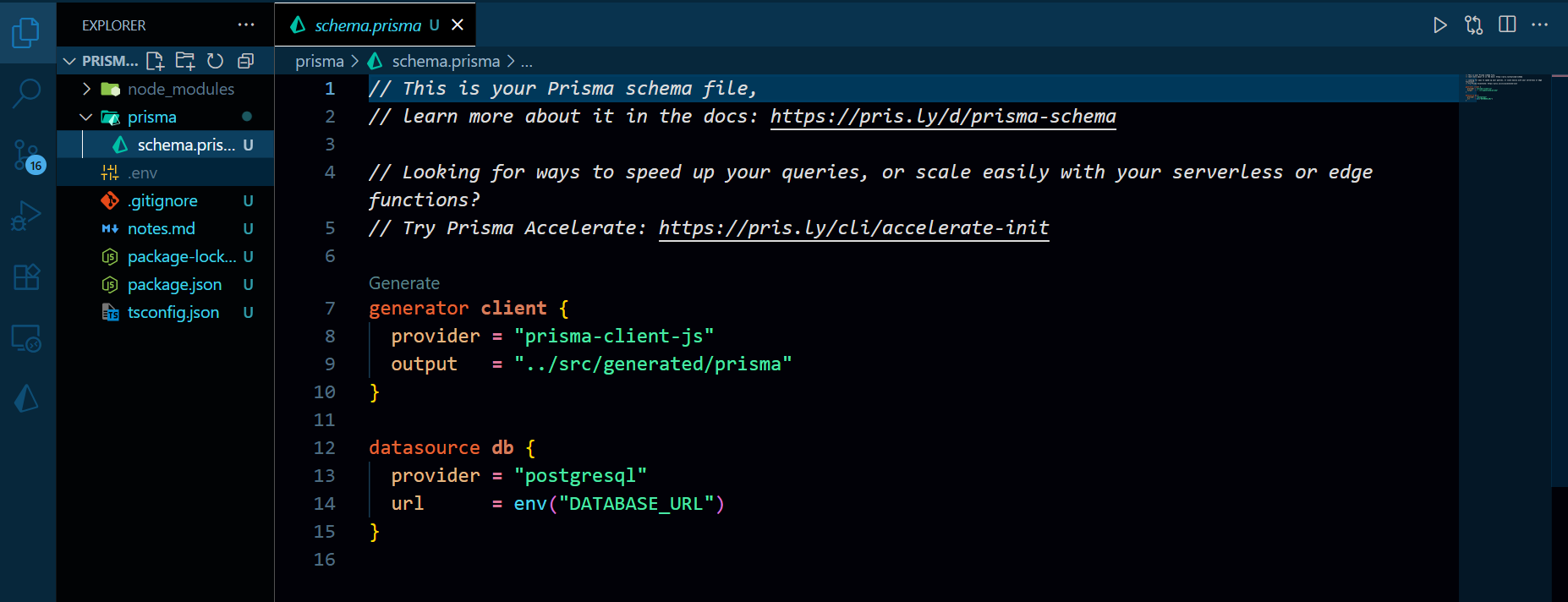
here (except notes.md ) you will also see all of these files in your code editor then go to .env file
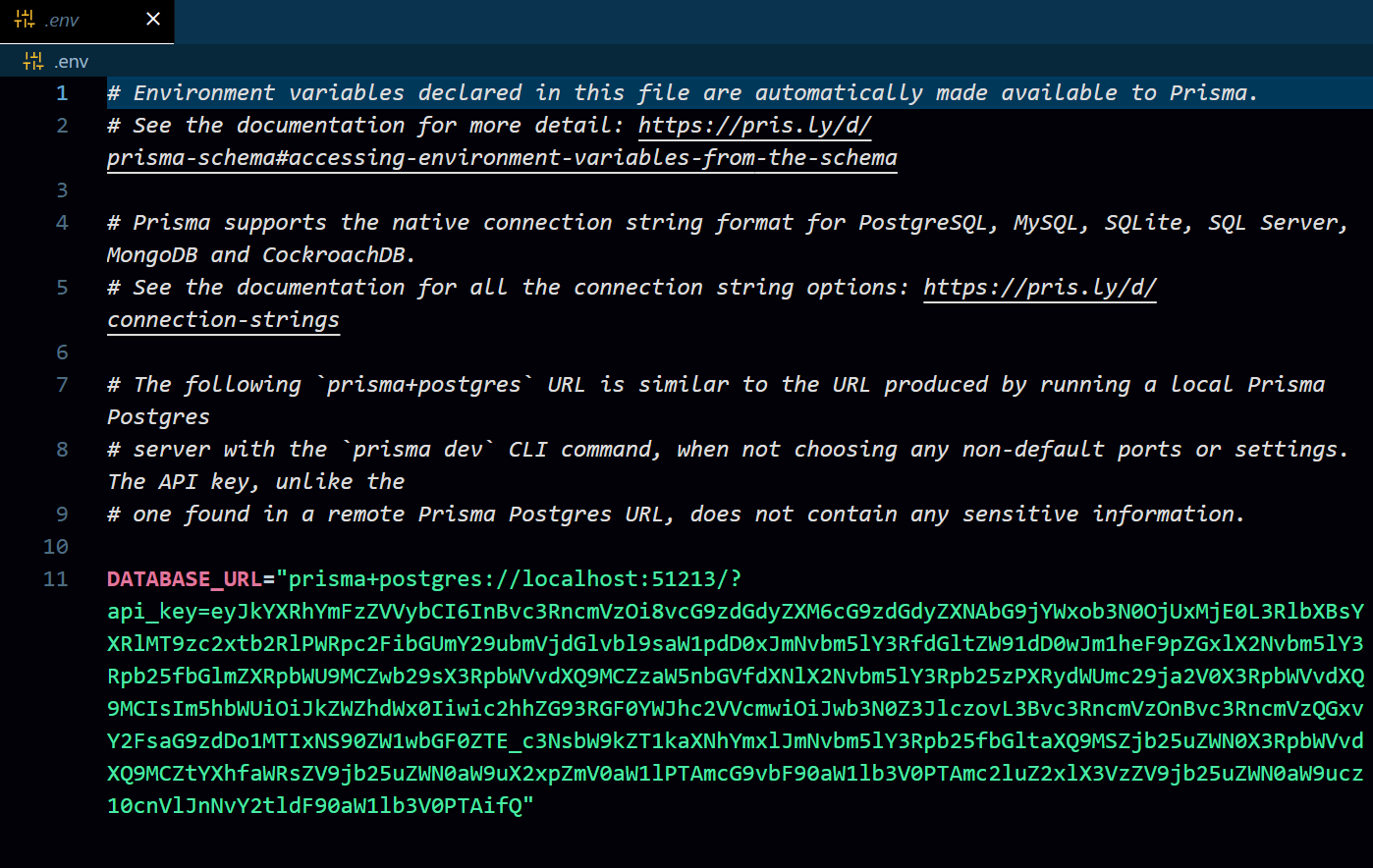
and in place of DATABASE_URL you have to paste your own db connection string (for my project i am using neon.tech ) And After doing this step you just have to create the models inside your schema.prisma file
So, for our project we just requires two models Users and Todos so let's create those models
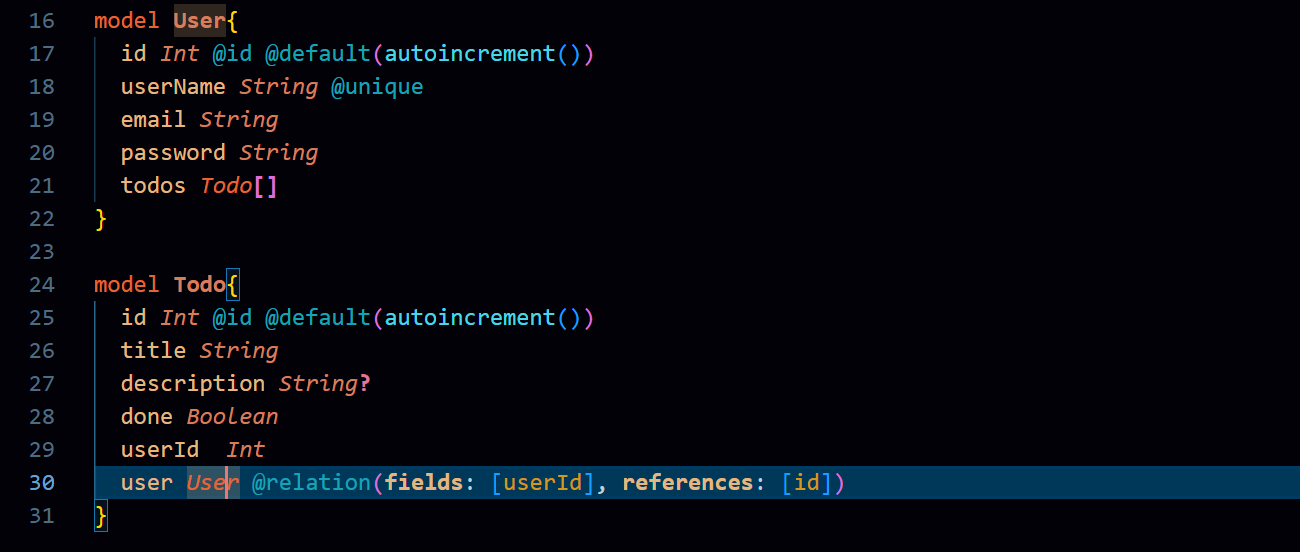
So here You can se we have defined those models and inside these models we have given the fields accordingly , let's go throught these fields a bit so inside the
User model
@id means it's a PRIMATY_KEY and it will autoincrement
@unique means it will be unique
Todo[ ] it is a special array which we have to create to mentain the relationship between the User and Todo mode
Todo model
here in description you see String? (with
?mark) which means it's an optional fielduserID which is the id from the User table
at the last line the syntax to create the relation in simple terms @relation(field:[userId], refrences:[id]) means the userId field of the Todo table having refrence with the id of the User table that's it
And Now after creating table we have to migrate it so for the migeration we have to use npx prisma migrate dev --name ANY_NAMcommand (if you are using neon.tech then it will take some time.) and then gentates a migrations folder using npx prisma generate and inside this folder we finds the SQL query which prisma writes automatically for us
And that's it you are good to go! Now let's import the PrismaClient and lets create to some functions to perfom the CRUD operation in the Database
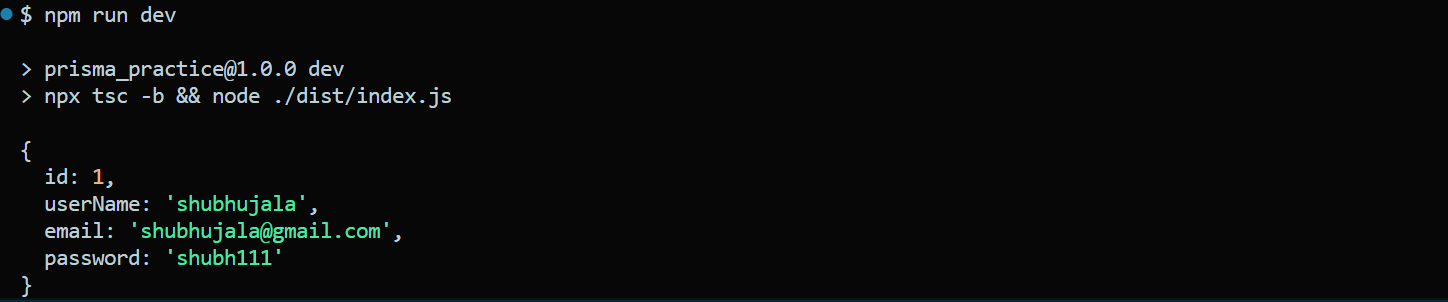
Function to insert the user inside the Databse
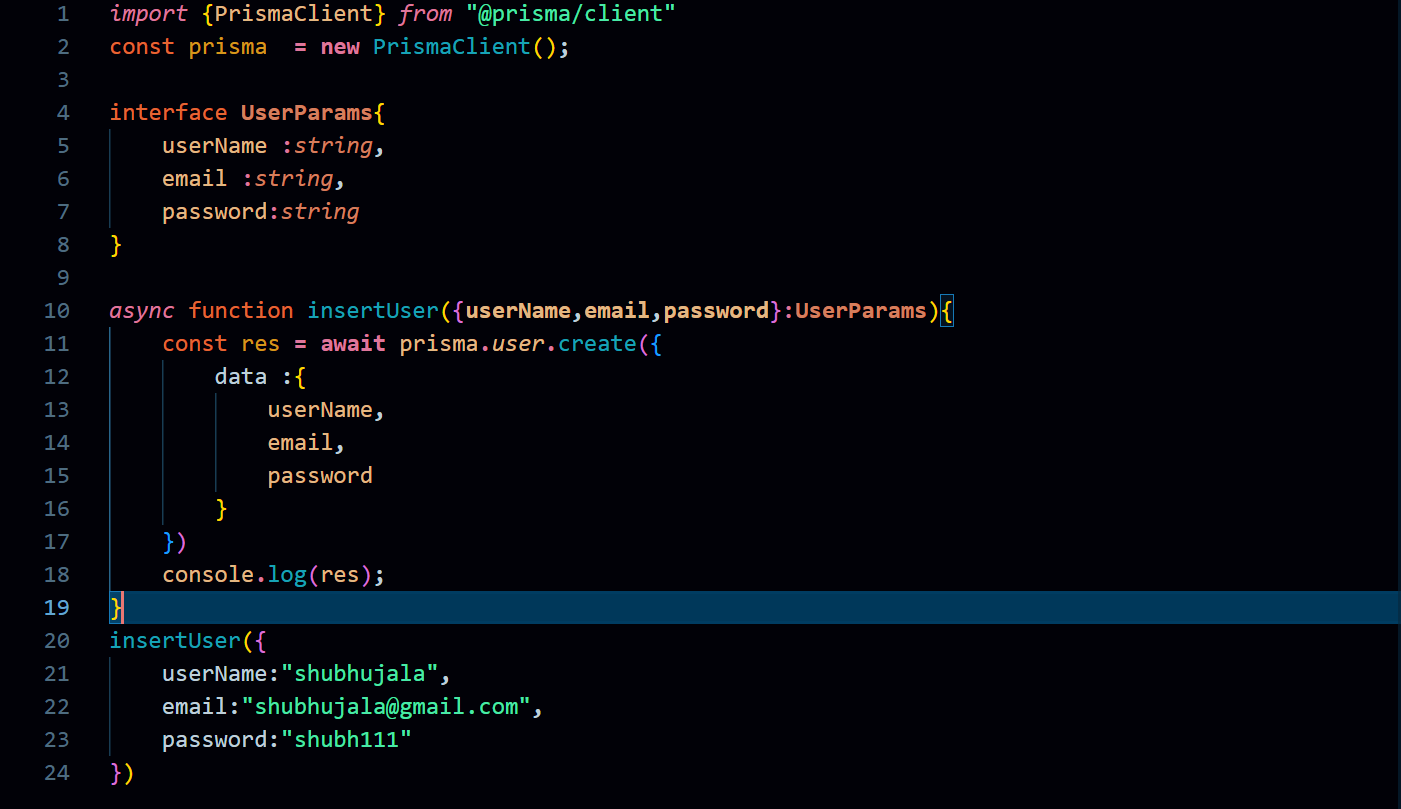
Response ->
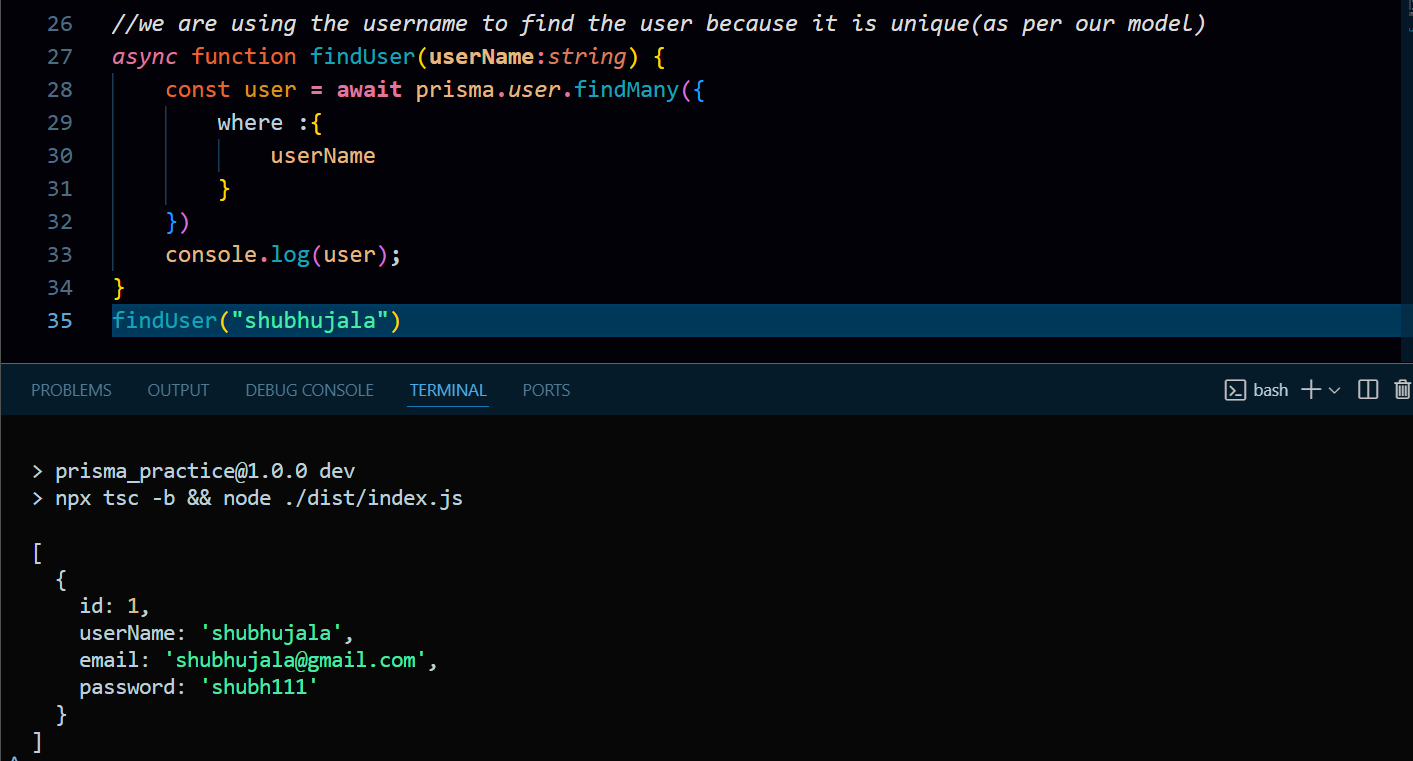
Function to find the user inside the Databse
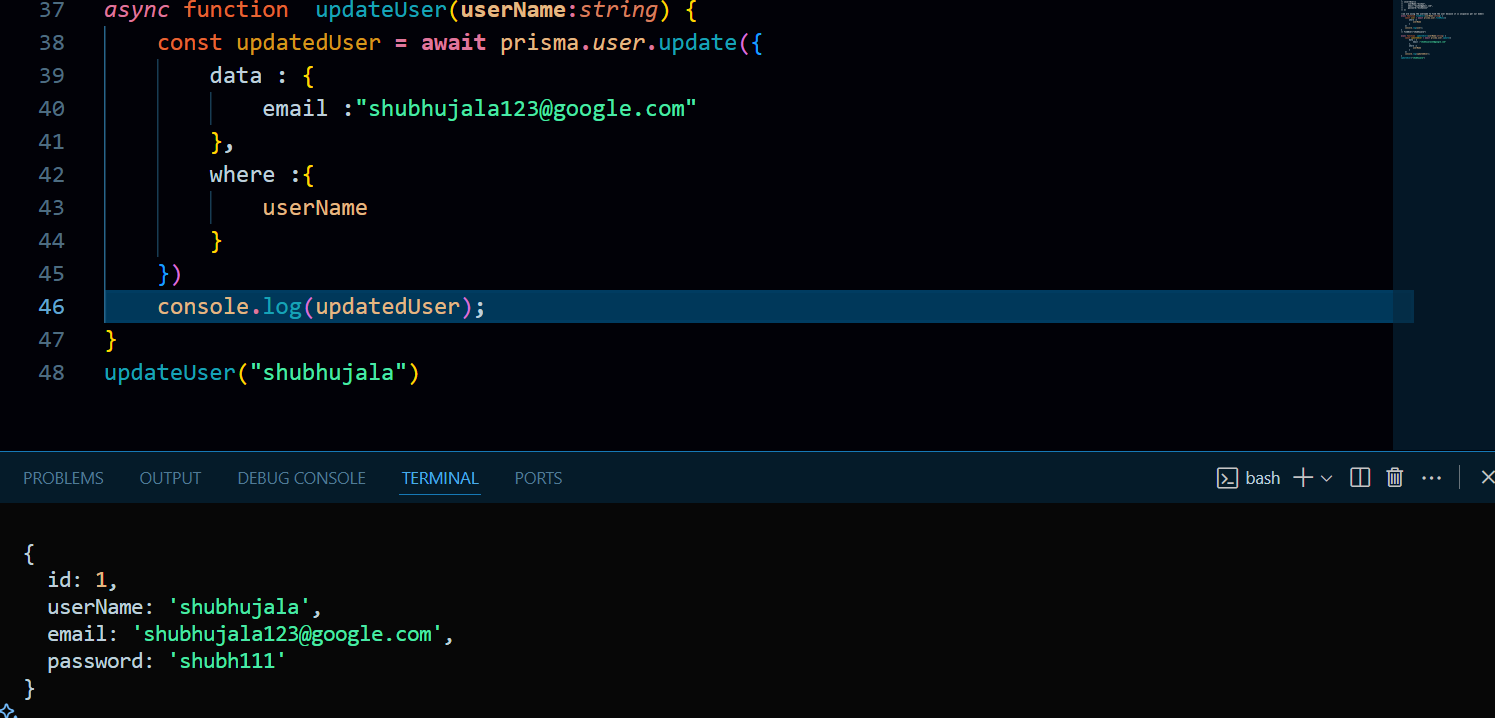
Function to update the user inside the Database
Similarly you can create a function to delete the user as well
Now let's move toward the Todo table and let's create some function there as well
Function to create the todo for specific User
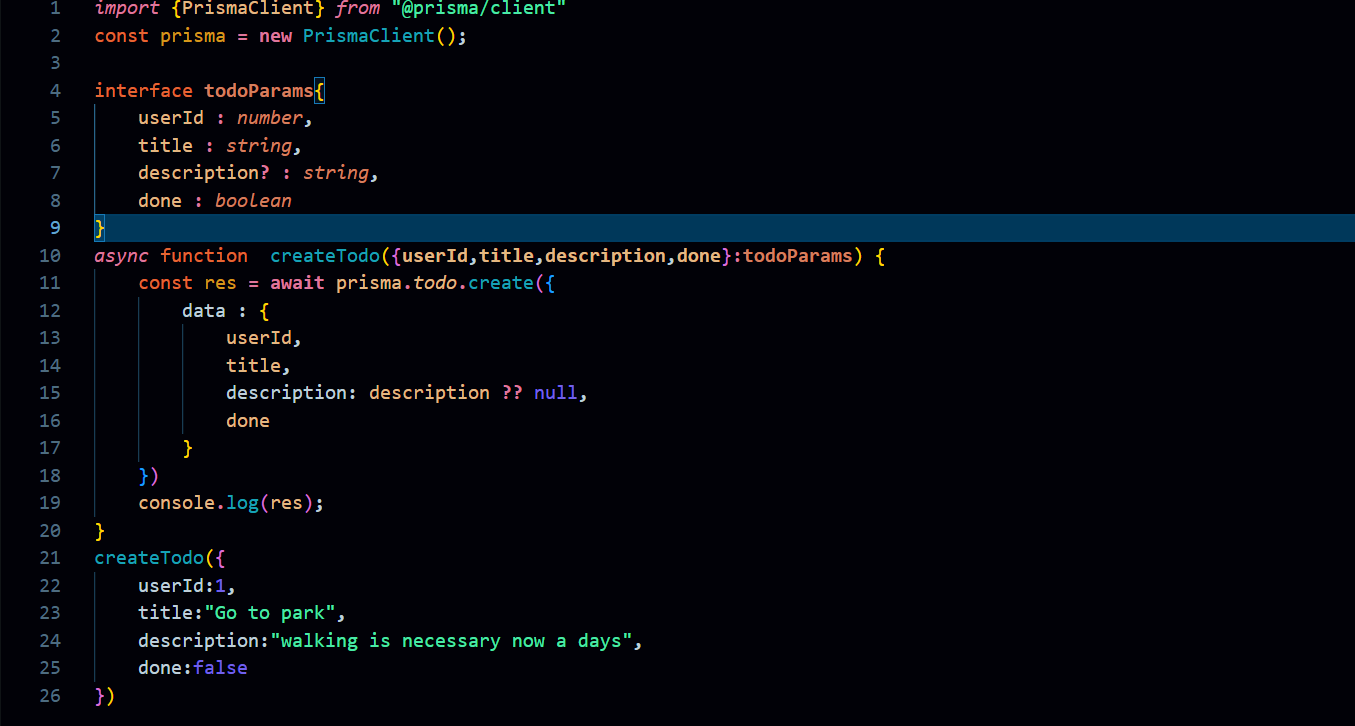
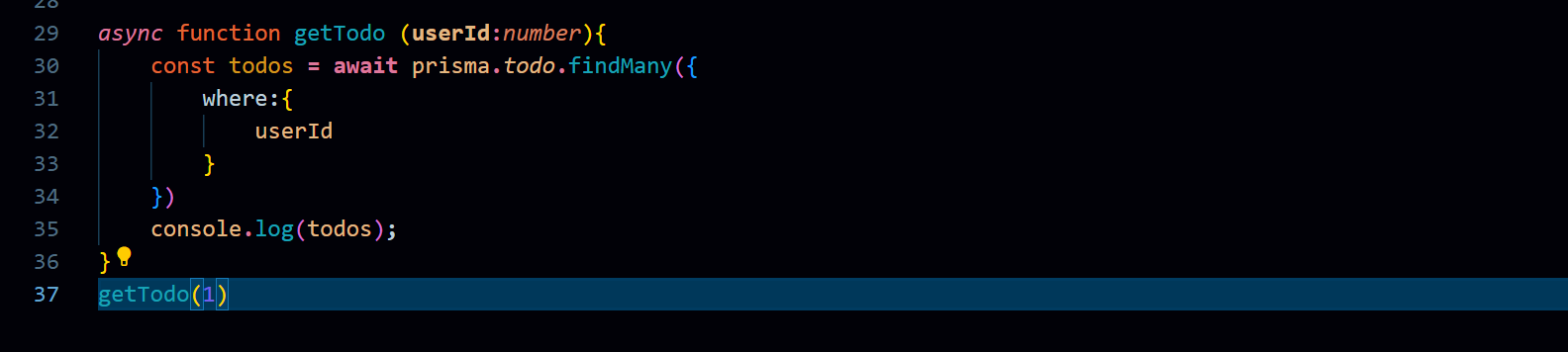
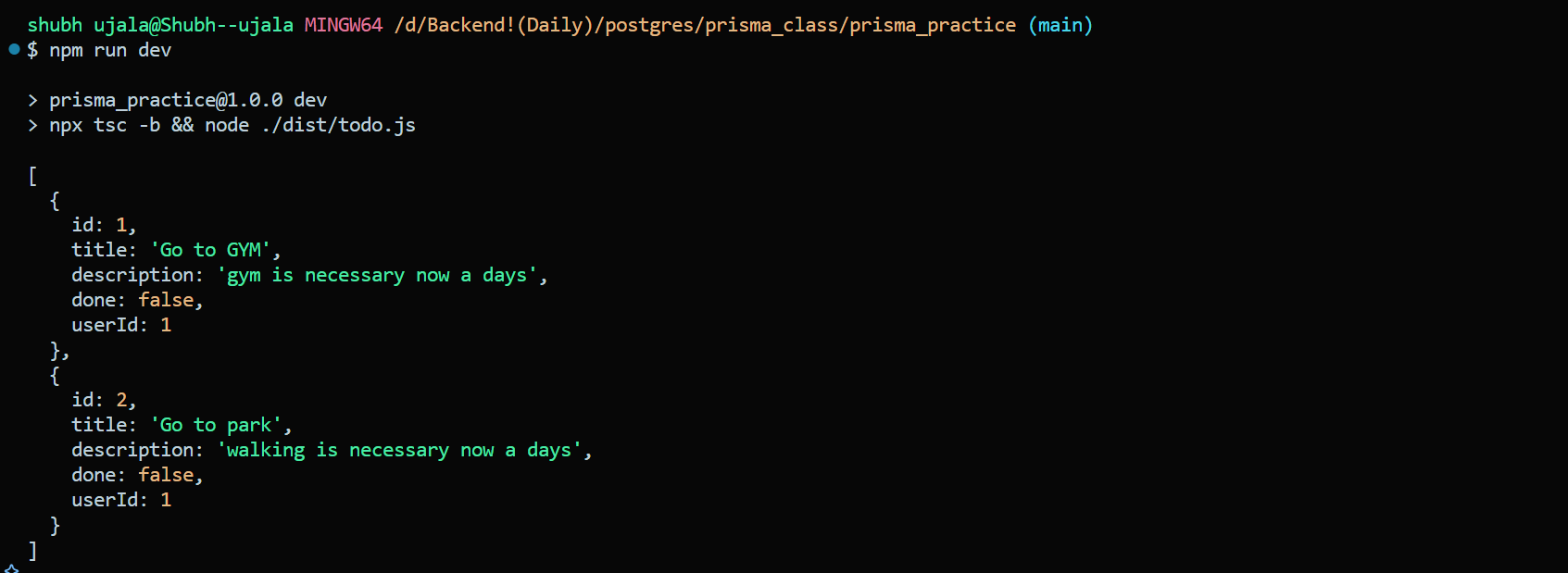
Function to get the todos of a particular user
Function to get Todo and User Details
it can be done in two ways with JOIN and without JOIN so when we are doing it without join then we have to write two quieries first for the
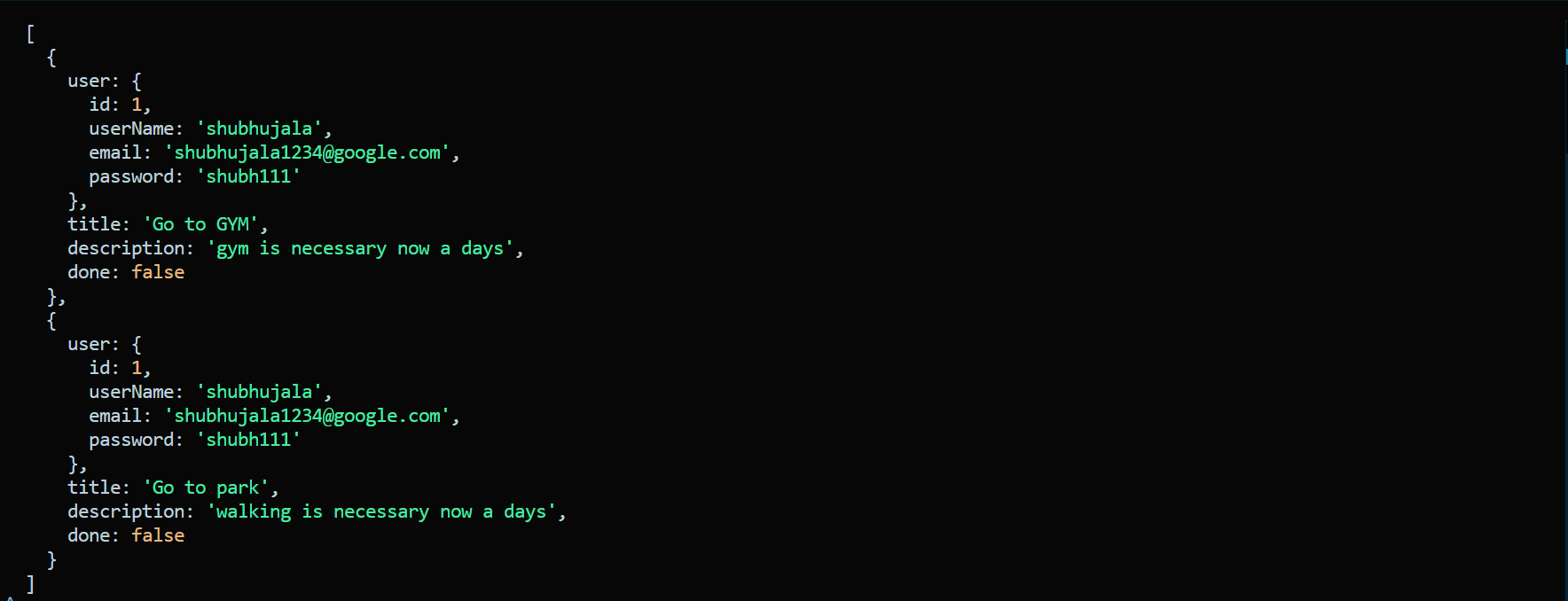
Usertable and one for theTodotable but if we used the JOIN then it can be done in the single query like this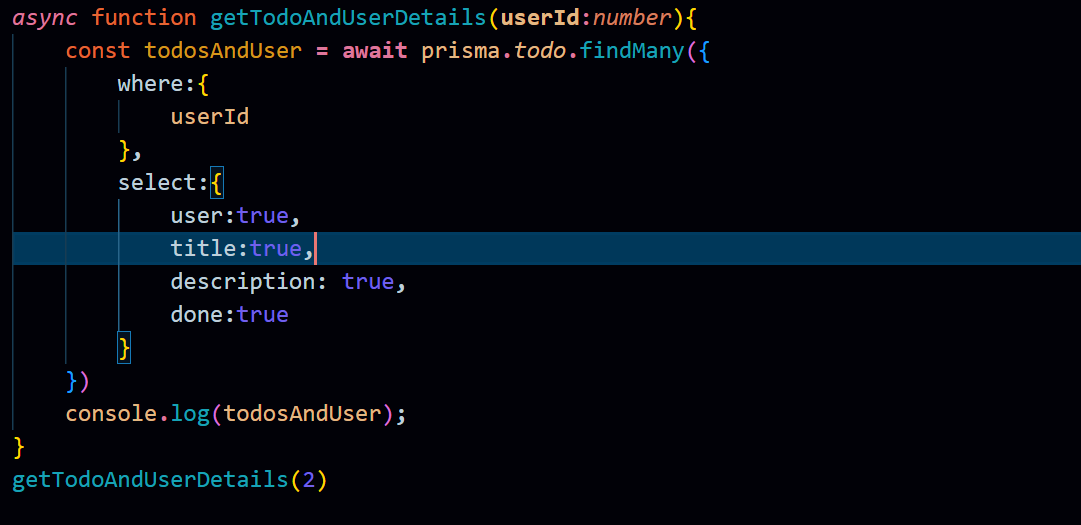
Note : Codes that i have used to explain the topics can be further more optimised and also try/catch can be used to catch the error.
Hope you enjoyed reading! 😊

Join Shubh on Peerlist!
Join amazing folks like Shubh and thousands of other builders on Peerlist.
0
7
0