

5 Common Photo Retouching Mistakes to Avoid for Perfect Images
Avoid over-editing, poor lighting, and color errors. Learn how to fix common photo retouching mistakes for natural, flawless, and professional images.
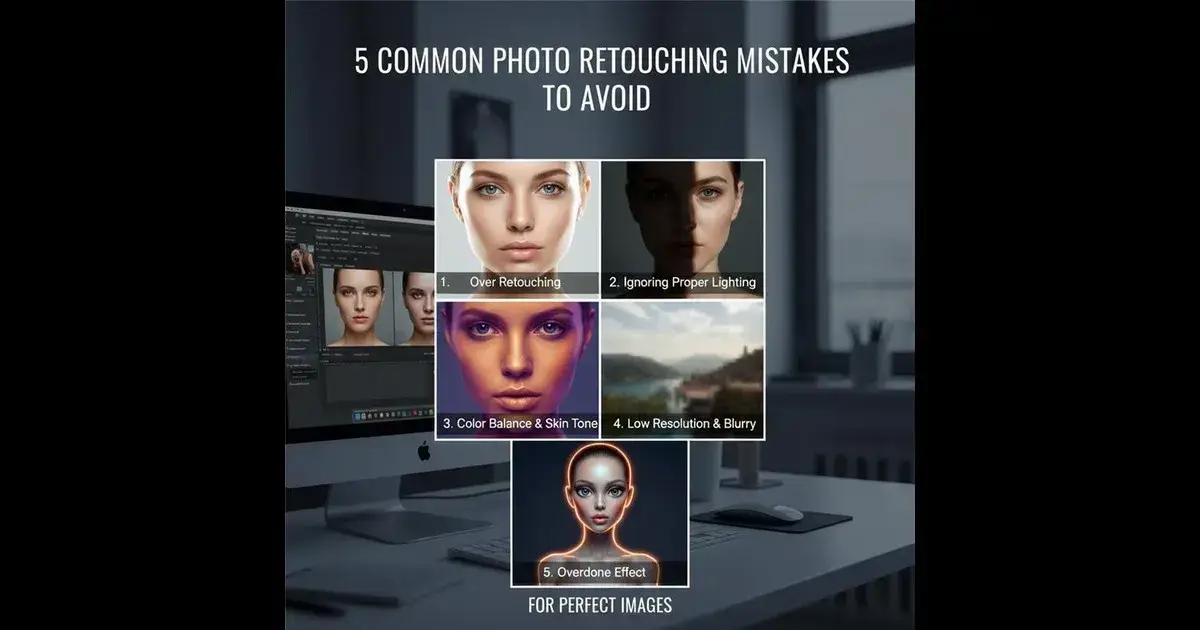
Mastering photo retouching can transform ordinary shots into stunning images, but many photographers and editors stumble on common mistakes. Avoiding these pitfalls ensures your photos look natural, professional, and flawless every time.
Photo retouching is an art that can elevate your images from average to breathtaking. However, even seasoned editors can fall into traps that make photos look unnatural or over-processed. Avoiding common photo retouching mistakes not only saves time but also helps maintain the integrity and authenticity of your images. Whether you’re a hobbyist or a professional, understanding these errors will improve your workflow and final results dramatically.
Understanding Photo Retouching Basics Before You Start Editing
Before diving into photo retouching, it’s important to grasp the basics of what the process involves. Photo retouching is more than just clicking a few buttons; it’s about enhancing the image while preserving its natural look. This includes adjusting brightness, correcting colors, removing blemishes, and sharpening details. Having a clear plan helps avoid common pitfalls like over-editing or color distortion.
By knowing the fundamental techniques and tools, you can make more intentional choices during your editing workflow. This step sets the foundation for avoiding the most common photo retouching mistakes that come next.
Top 5 Common Photo Retouching Mistakes to Avoid for Perfect Images
1. Over-Retouching: How Excessive Editing Ruins Natural Beauty
One of the most frequent photo retouching mistakes is over-retouching. This happens when too many filters, smoothing effects, or adjustments are applied, leading to images that look artificial or “plastic.” Overdoing skin smoothing, for example, removes natural textures and makes portraits appear unrealistic.
Why is this a problem?
Over-retouching strips away the unique features and imperfections that give character to your subject. It creates a flat, lifeless image that viewers can easily spot as edited.
How to avoid this mistake:
Use subtle adjustments and zoom in regularly to check details.
Retain skin texture by using frequency separation techniques instead of heavy blur tools.
Focus on enhancing rather than erasing features.
2. Ignoring Proper Lighting Correction in Photo Retouching
Lighting can make or break a photo, and ignoring proper lighting correction is a common retouching mistake. Sometimes, photos have uneven exposure or harsh shadows that need fixing to bring out details and balance.
Why is lighting correction critical?
Correcting lighting ensures your subject stands out and colors look vibrant and true-to-life. Without it, photos can appear dull, washed out, or overly contrasted.
How to fix lighting in retouching:
Use dodge and burn techniques carefully to enhance light and shadow areas.
Adjust curves or levels to balance highlights and shadows.
Avoid pushing exposure too far, which can lead to loss of detail.
3. Overlooking Color Balance and Skin Tone Accuracy
Nothing ruins a perfect photo more than unnatural or inconsistent colors. A common mistake in photo retouching is overlooking color balance and skin tone accuracy, which can cause subjects to appear too warm, cold, or simply off.
Why is color accuracy important?
Color influences mood and realism. Incorrect skin tones can distract the viewer and reduce the image’s impact.
Tips to maintain accurate colors:
Calibrate your monitor for true color representation.
Use white balance tools in your editing software.
Compare skin tones to natural references and adjust hue/saturation accordingly.
4. Neglecting to Maintain Image Resolution and Sharpness
Another often ignored mistake is neglecting to maintain image resolution and sharpness during retouching. When resizing or saving files, poor resolution management can result in blurry or pixelated images.
Why does resolution matter?
High-quality images require sharp details, especially for print or large displays. Losing sharpness undermines the professionalism of your work.
How to preserve sharpness and resolution:
Always work on the highest resolution original image.
Use non-destructive editing tools and layers.
Save files in appropriate formats like TIFF or PNG for quality preservation.
5. Forgetting to Keep a Natural Look: Avoiding the “Overdone” Effect
Finally, a big mistake many fall into is forgetting to keep a natural look, resulting in the dreaded “overdone” effect. This can happen with excessive saturation, overly bright eyes, or unnatural teeth whitening.
Why is a natural look essential?
Viewers appreciate subtlety and authenticity. Over-enhanced photos often lose emotional connection and credibility.
How to keep it real:
Make small, incremental adjustments rather than large drastic ones.
Regularly step back and review your edits on different devices.
Ask for a second opinion to catch over-processing you might miss.
Conclusion: Perfect Your Photos by Avoiding These Retouching Mistakes
Photo retouching is a powerful skill that requires balance and attention to detail. Avoiding common mistakes like over-retouching, ignoring lighting correction, neglecting color accuracy, losing resolution, and creating unnatural edits will help you achieve perfect images every time. Remember, the goal is to enhance not erase the natural beauty of your photos.
So next time you open your favorite editing software, keep these tips in mind and watch your photos transform from good to truly stunning!

Join Snehal on Peerlist!
Join amazing folks like Snehal and thousands of other builders on Peerlist.
0
2
0