

Inside Git: How It Works and the Role of the .git Folder
The Hidden Folder That Saves Your Work.
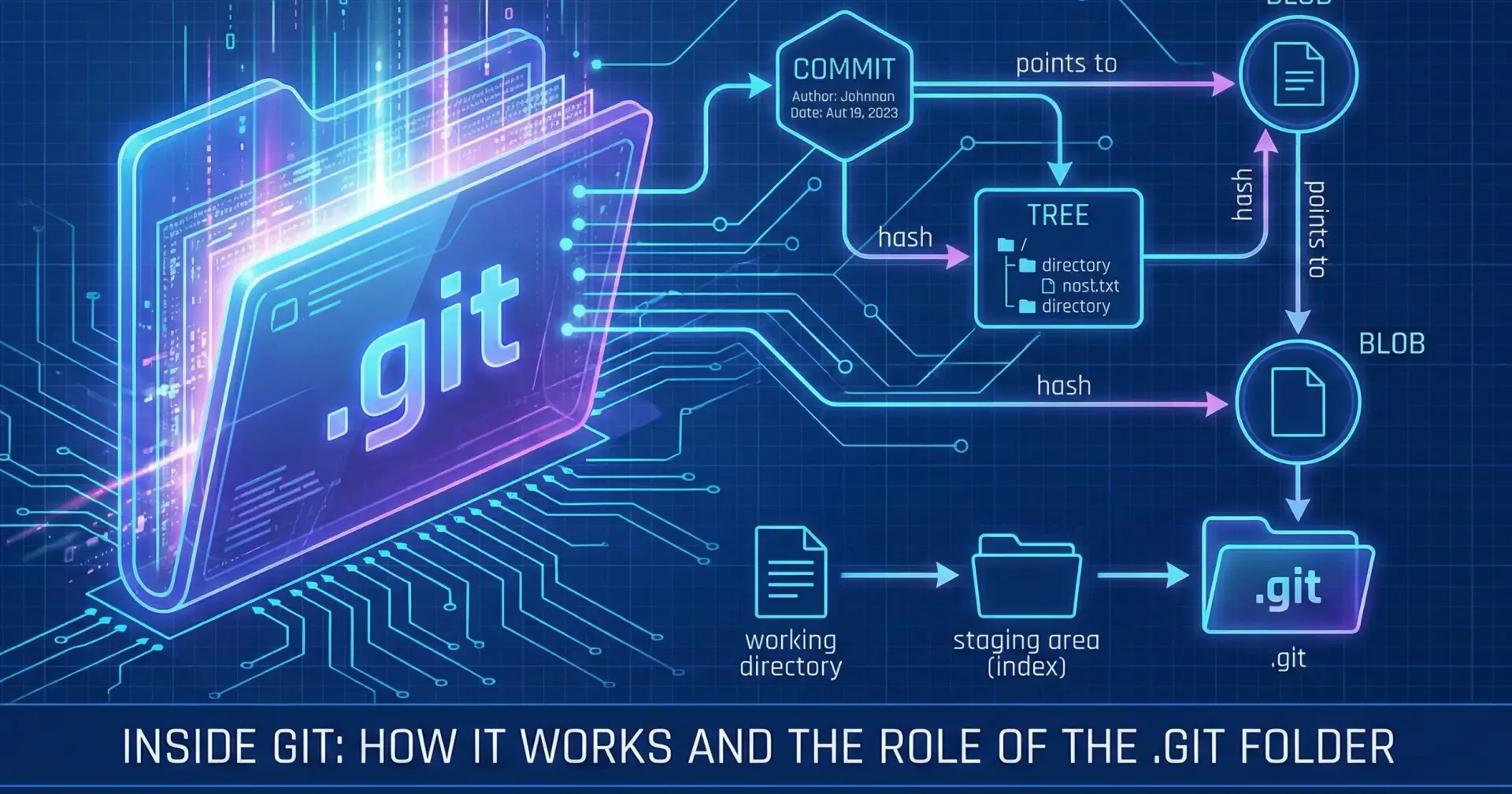
Understanding the .git Folder
When you initialize a Git repository, a hidden folder named .git is created. This folder is the main of your repository. It contains all the necessary information to track changes, including your project's history, configuration settings, and pointers to the current state of your code.
As shown in the image below, the most important components are:
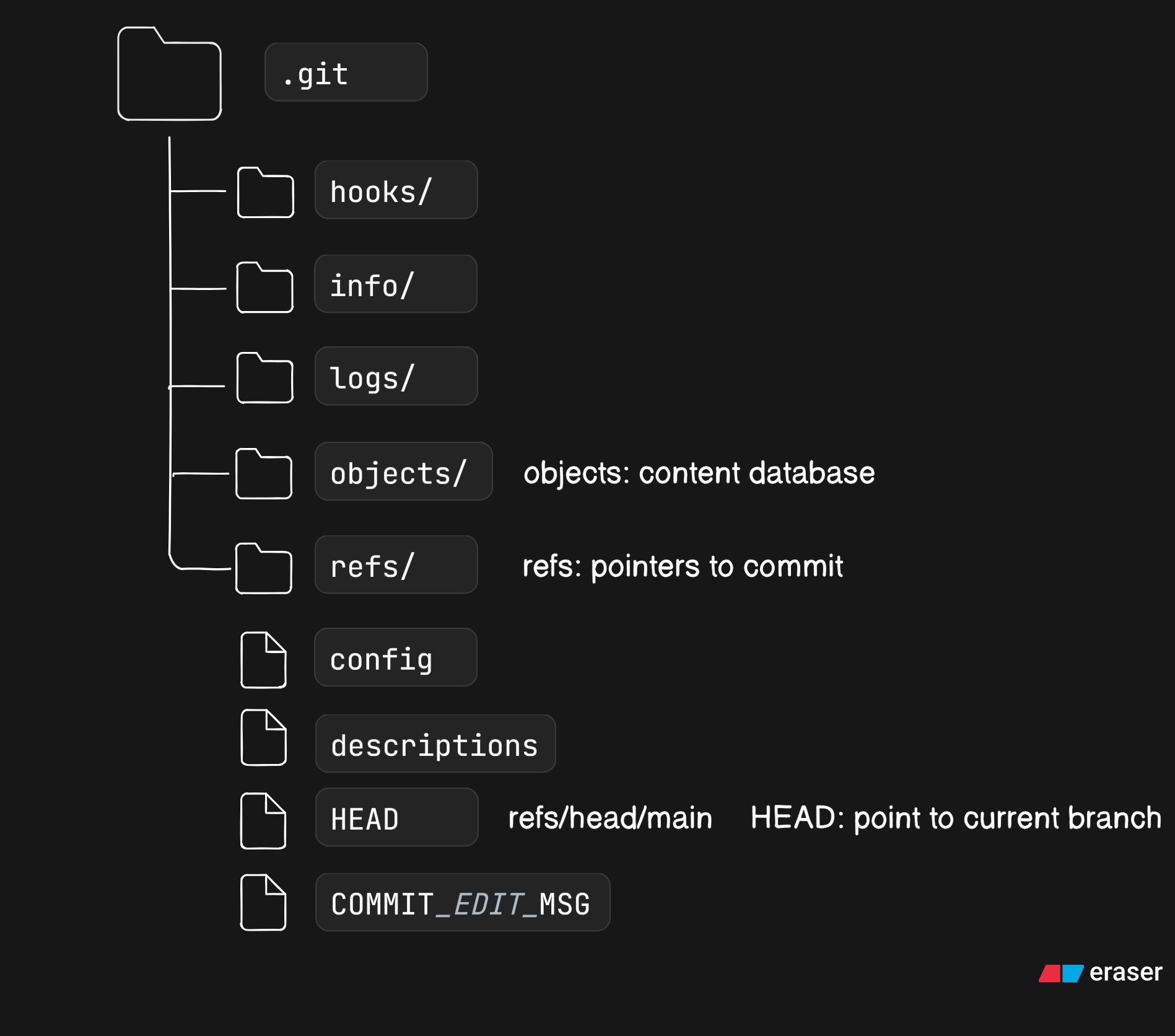
objects/: This is Git's database. It stores all your file contents, directory structures, and commit history as unique objects.refs/: This directory contains pointers (references) to the tips of your branches and tags.HEAD: A special file that points to the current branch reference, telling Git "where you are" right now.index: A binary file that serves as your staging area.
Git Objects: Blob, Tree, Commit
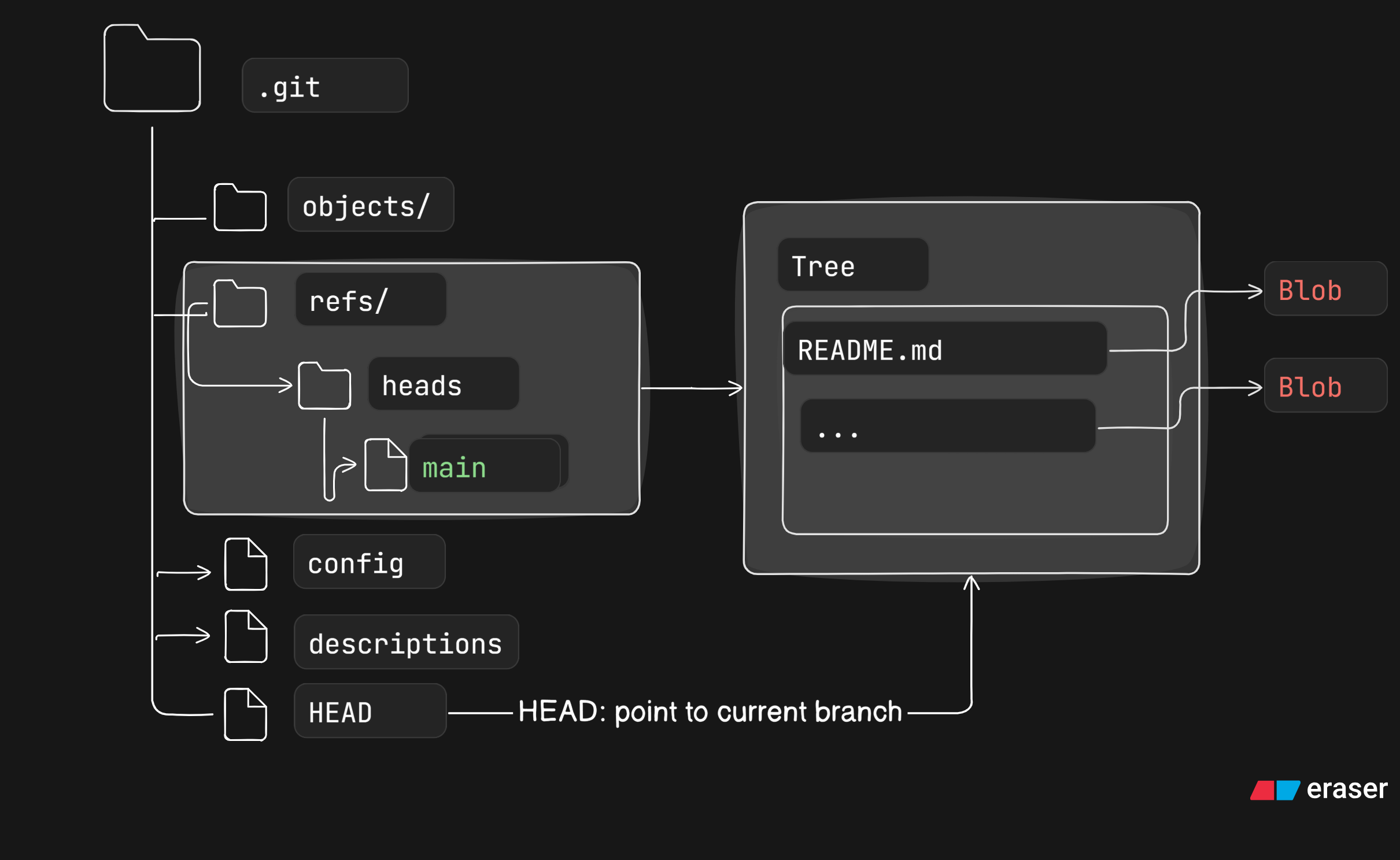
Inside the objects/ folder, Git stores its data in three primary object types, as illustrated below:
Blob (Binary Large Object): Stores the content of a file. It does not contain the filename or permissions.
Tree: Represents a directory. It contains a list of filenames and pointers to their corresponding blob or other tree objects.
Commit: A snapshot of your project at a specific point in time. It points to a root tree object and includes metadata like the author, date, and a link to its parent commit(s).
How Git Tracks Changes:
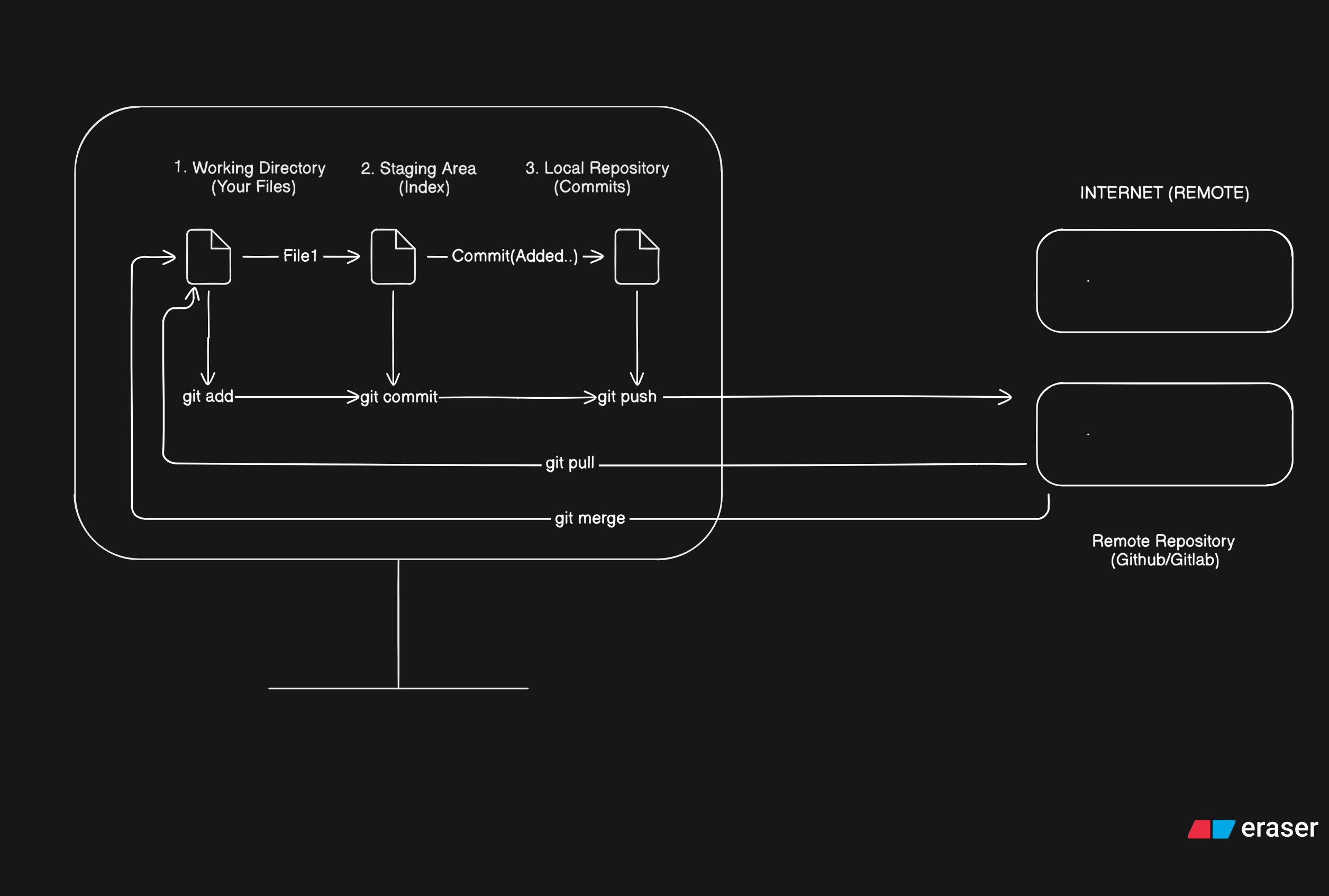
When you run git add <file>, Git takes a snapshot of the file from your working directory. It creates a new Blob object containing the file's compressed content and places it in the objects/ database. At the same time, it updates the Index (the staging area) to record that this file, with this specific blob, is ready to be committed.
When you run git commit, Git uses the information in the Index to create a new Tree object, which represents the state of your project's root directory. Then, it creates a new Commit object that points to this new Tree. This new Commit also links to its parent commit. Finally, the HEAD pointer is updated to point to this new Commit, effectively advancing your branch.

Join Suraj on Peerlist!
Join amazing folks like Suraj and thousands of other builders on Peerlist.
0
2
0