

Get Paper Snapshot: Turn Any Website Into Editable Paper Layers Directly From Webinspoo
No extension. No plugin. Just visit any site on Webinspoo, click 'Get Paper Snapshot', and paste fully editable Paper layers straight into paper.design completely free.
You're browsing Webinspoo. You find a landing page you love. You want to pull it into Paper and start designing around it.
Until now, your options were: screenshot it and rebuild from scratch, or manually inspect every value and recreate it element by element.
That changes today.
We've just launched Get Paper Snapshot a one-click feature built directly into Webinspoo that captures any website as fully editable Paper layers and copies them to your clipboard. Open paper.design, hit ⌘V, and your layers are there. Ready to edit.
No extension. No plugin. No export. Just click, copy, paste, design.
What Is Paper Snapshot?
Paper is a modern design tool, and their Paper Snapshot Chrome extension lets you capture web elements and paste them as editable layers directly into a Paper file.
It changed how designers think about referencing the web. Instead of screenshotting and manually rebuilding, you capture and continue.
We loved that workflow. So we built Webinspoo's version of it available to everyone, for free, with zero installs.
How It Works
It's genuinely this simple.
Step 1 — Find a Site You Love on Webinspoo
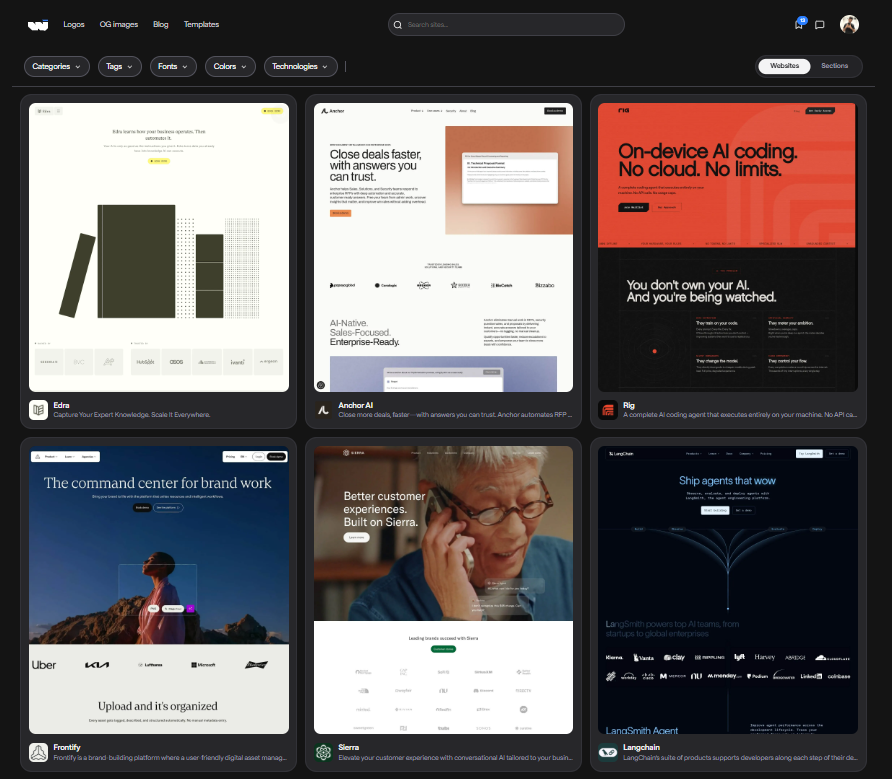
Browse the Webinspoo gallery the way you always have curated SaaS landing pages, startup websites, creative portfolios. When something catches your eye, open it.
Step 2 — Click "Get Paper Snapshot"
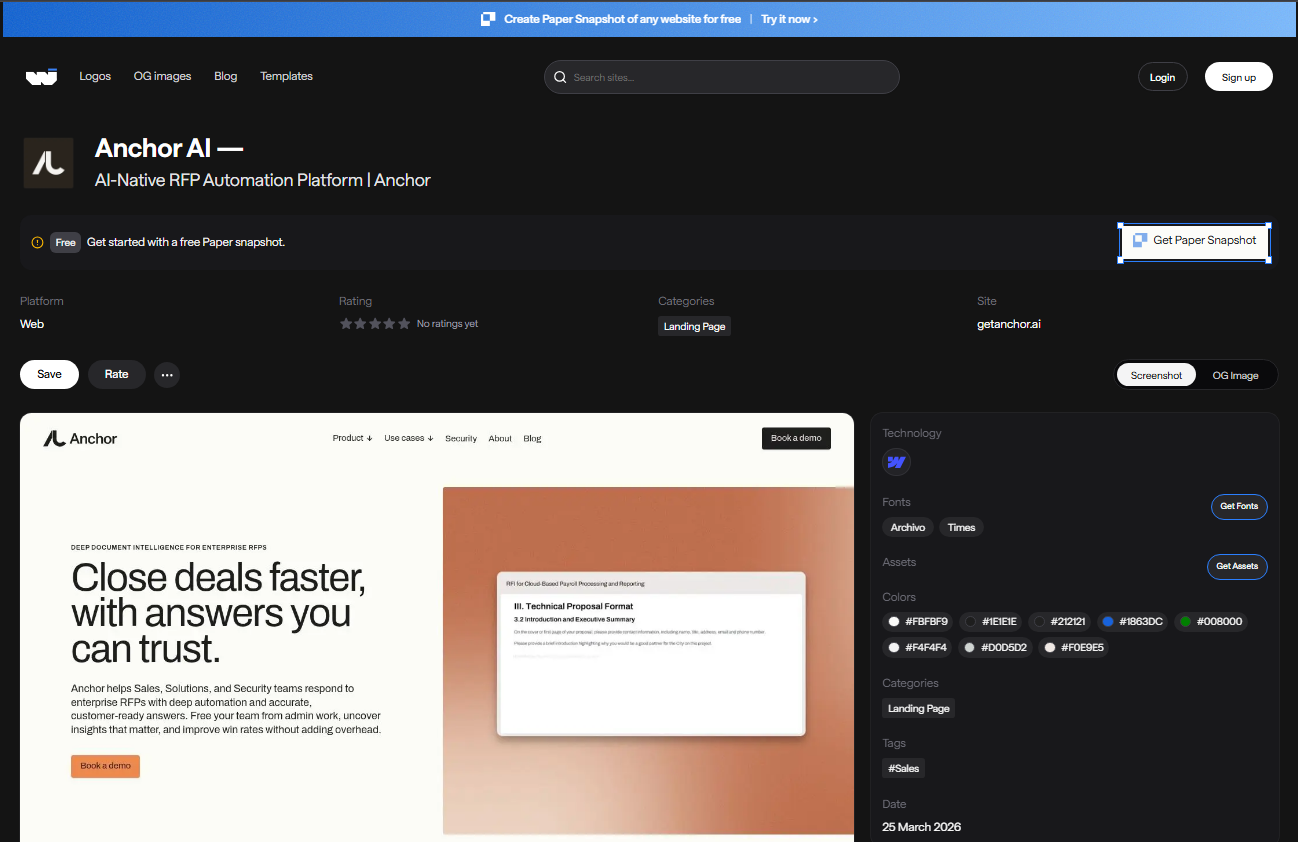
On any site detail page, you'll see the "Get Paper Snapshot" button in the top right corner marked Free.
Click it. Webinspoo captures the entire website structure, layout, colours, typography and converts it into fully editable Paper layers in the background. No install. No setup. One click.
Step 3 — Paste Into Paper
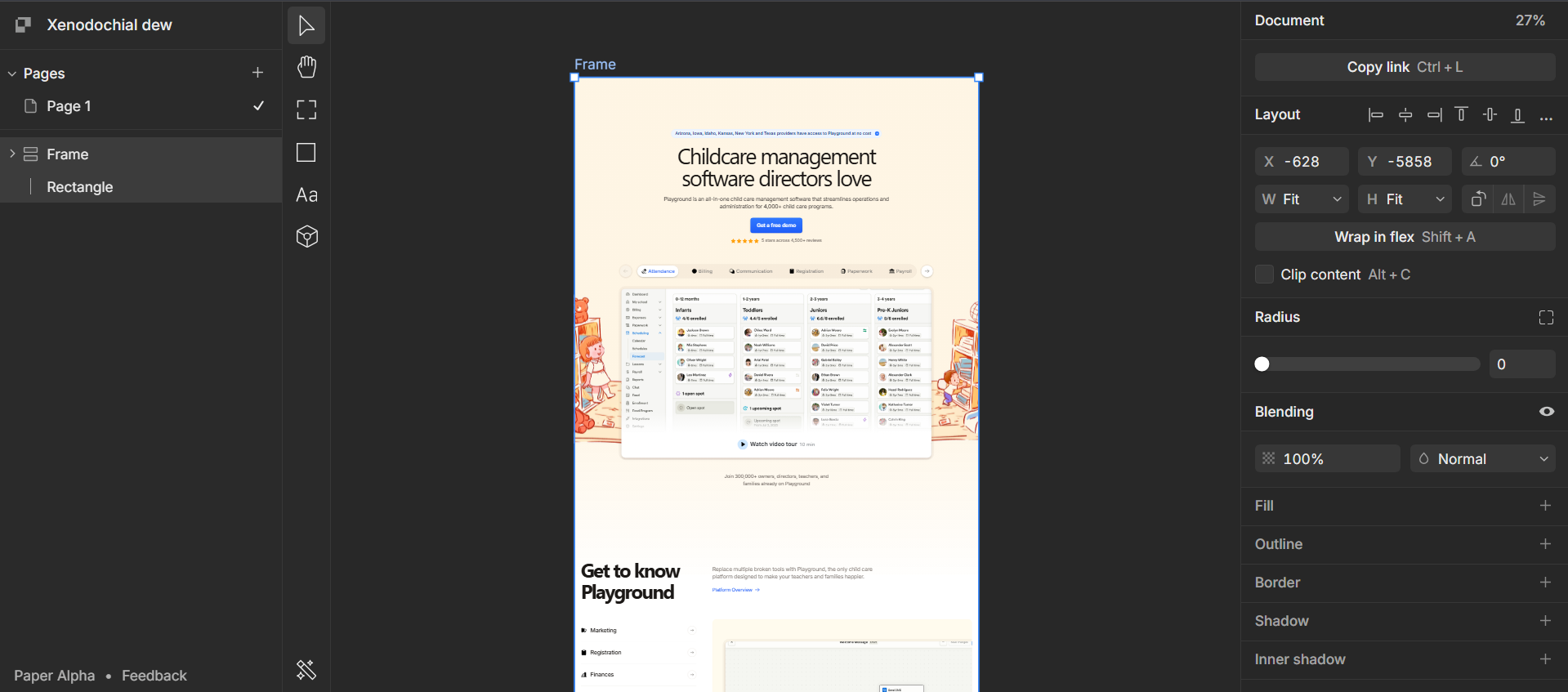
The captured layers are automatically copied to your clipboard. Switch to your paper.design file and hit ⌘V / Ctrl+V.
Your website lands as a fully structured, editable layer group text you can edit, colours you can restyle, layout you can rearrange. Not a flat image. Real layers.
Why This Is Different From a Screenshot
Screenshots are flat. They look like the website, but they're pixels you can't edit the text, change the colours, or move individual elements without cropping.
Get Paper Snapshot gives you the website as a design file.
Every text block is editable. Every colour is a fill you can change. Every section is a group you can move, resize, or delete. You're not tracing over a reference you're starting with real structure.
Screenshot Get Paper Snapshot Captures the full website ✅ ✅ Editable text layers ❌ ✅ Editable colours and fills ❌ ✅ Paste directly into Paper ❌ ✅ Requires an extension ❌ ❌ Free ✅ ✅
What You Can Do With It
Reference and remix. Capture a layout you admire, paste it into Paper, and redesign it from the inside out. Change the copy, swap the colours, restructure the sections work with real layers instead of guessing at values.
Competitive research. Browse competitor sites on Webinspoo, snapshot them, and compare layouts side by side in the same Paper file. Real structure, not screenshots stacked in a Notion doc.
Speed up client work. Find a site that matches the direction your client is after, snapshot it, and use it as a starting point for your design conversation in minutes, not hours.
Study how great sites are built. Paste a site into Paper and pull it apart layer by layer. Understand the spacing, the hierarchy, the structure by working with it directly, not just looking at it.
Who This Is For
Designers who use Webinspoo for inspiration and want to go from "I like this" to "I'm building with this" without leaving the browser.
Product teams doing competitive analysis who want real UI to work with not screenshots buried in a comments thread.
Founders and indie builders who move fast and need a starting point, not a blank canvas.
Anyone using Paper who wants to get more out of the web design they're already browsing every day.
It's Free. Try It Now.
No account upgrade. No extension to install. Just visit any site on Webinspoo, hit Get Paper Snapshot, and paste into paper.design.
👉 Browse Webinspoo and try it → webinspoo.com
What's Coming Next
Get Paper Snapshot is the first step in a bigger workflow. On the roadmap:
Figma layer export — same one-click capture, pasted straight into Figma
Element-level capture — select a specific section instead of the full page
Design token detection — colours and type styles auto-mapped to your Paper variables on paste
Stay tuned at webinspoo.com.
Final Thoughts
Webinspoo has always been where designers come to find great web design. Now it's also where you go to use it.
Get Paper Snapshot closes the gap between browsing inspiration and building with it. One click on Webinspoo. One paste in Paper. Fully editable layers free.
The best design reference isn't a screenshot. It's a layer you can actually work with.
Find the world's best web design inspiration and now capture it as editable layers at Webinspoo.

Join Taher on Peerlist!
Join amazing folks like Taher and thousands of other builders on Peerlist.
0
10
0