

Easily Make Your Anime Characters Move – A Beginner’s Guide
A step-by-step guide to bringing your favorite anime characters to life
Have you ever dreamed of making your beloved anime character images truly “come alive”—eating a rice ball, sipping lemon tea, or even waving at you on screen? Now, this dream can become a reality without any professional animation skills.
With Pixnova Image to Video, you can effortlessly turn static images into lively videos, making your favorite characters move instantly. High-definition output and multiple AI model options ensure smooth, natural animations, perfect for sharing on social media or adding to your personal portfolio. Here’s a step-by-step guide on how to get started.
🤠Why Choose Pixnova Image to Video?
Pixnova’s Image to Video feature allows you to transform static anime images into smooth, dynamic animations with ease. The process is simple and can be completed in just a few steps—even if you have no animation experience.
Key advantages include:
Easy to use: Generate a short animation in minutes with almost zero learning curve.
Anime-style support: Maintains the original artwork’s style and details, keeping your character lively and natural.
High-quality output: Clear, crisp video suitable for social media sharing or portfolio presentation.
Fast generation: Saves significant time compared to traditional animation tools.
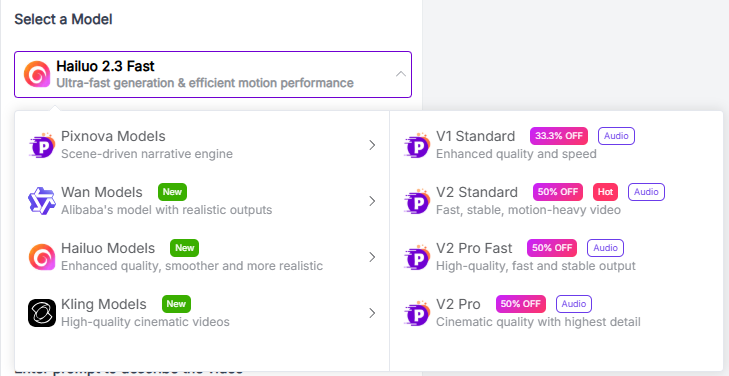
Pixnova also offers multiple AI model options, allowing flexible and professional animation styles. Each model is suited for different scenarios and effects:
Pixnova Models: Ideal for scene-driven storytelling animations.
Wan Models: Developed by Alibaba, stable and reliable output.
Hailuo Models: Enhanced visual quality, smoother movements, and more realistic results.
Kling Models: High-end cinematic-quality animations for film-like results.
📚Step by Step Pixnova Image to Video Tutorial
Step 1: Access the Tool and Upload Your Image
First, open the Pixnova Image to Video tool here:
Upload your anime character image. For the best results, we recommend:
High-resolution images: Higher pixels result in smoother animations
Simple backgrounds: Complex backgrounds may affect animation quality
Clear character outlines: Easier for the AI to capture motions
Pixnova supports JPG, PNG, and WEBP formats, with a maximum file size of 30MB. For example, I uploaded a static image of Nezuko Kamado eating a rice ball, ready to generate an animation.
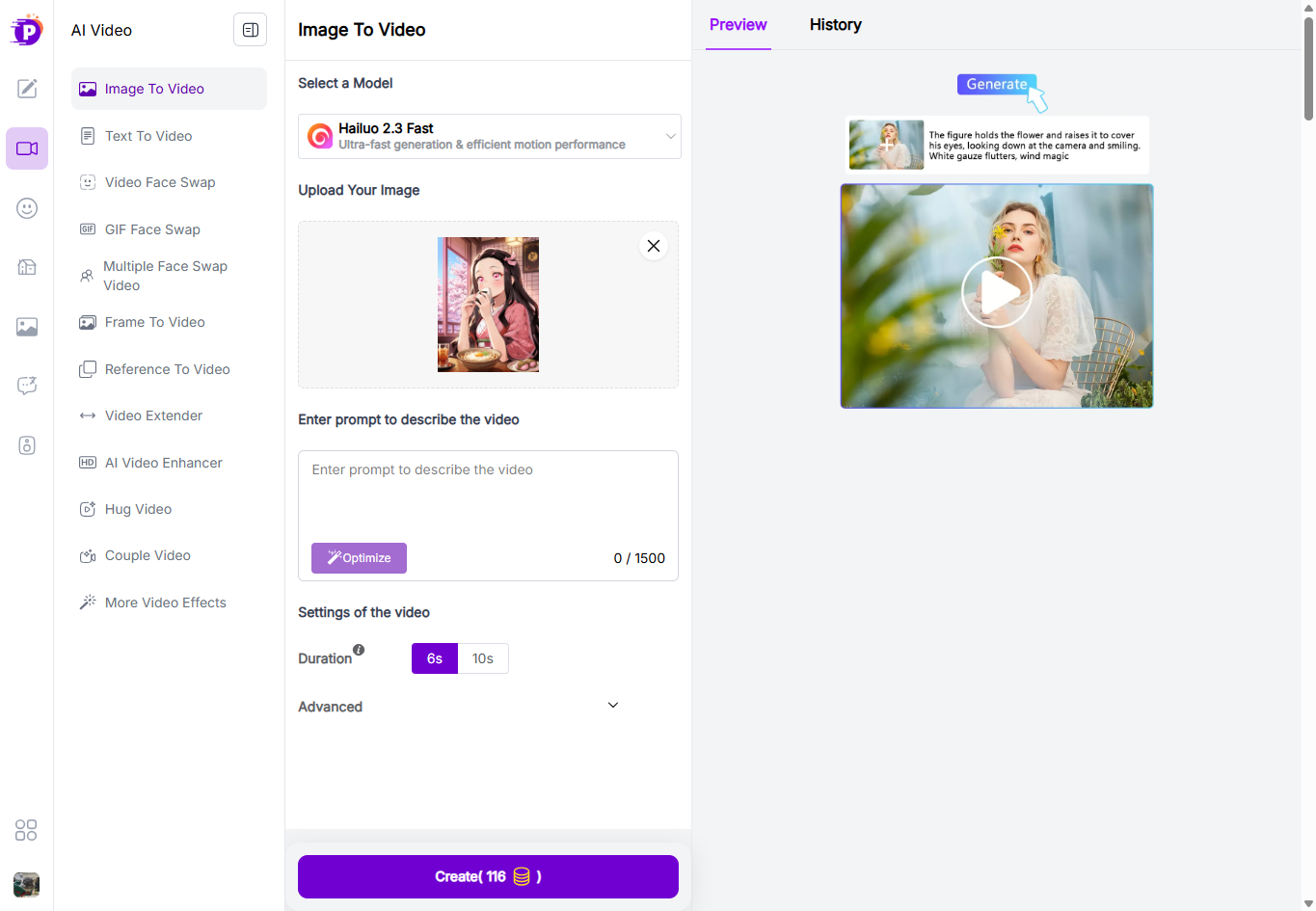
Step 2: Enter Your Prompt and Choose Animation Settings
Once your image is uploaded, enter an English prompt describing the action you want your character to perform. For example, if you want the character to eat a rice ball and sip lemon tea, you can use:
A cute anime character is happily eating a rice ball (onigiri), then takes a sip from a glass of lemon tea nearby, cozy indoor setting, soft warm lighting, cute and lively anime style.
Next, customize the animation parameters in the Settings of the Video section:
Select a Model: Choose based on your needs
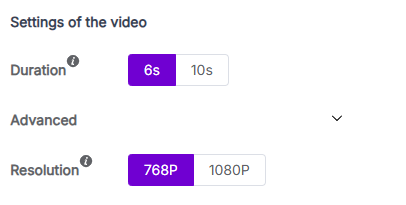
Duration: Options of 6 or 8 seconds, ideal for social media sharing
Advanced Settings: Adjust resolution if needed for higher-quality output
Step 3: Generate Animation and Share
After configuring all settings, click Generate. Pixnova will process your image and create a short animated video automatically. Once completed, you can:
Download the video to your device
Share directly on social media like Twitter, Instagram, or Bilibili
Whether you’re making animated avatars, short video clips, or personal creative animations, the process is quick and efficient—bringing your anime characters to life in seconds.
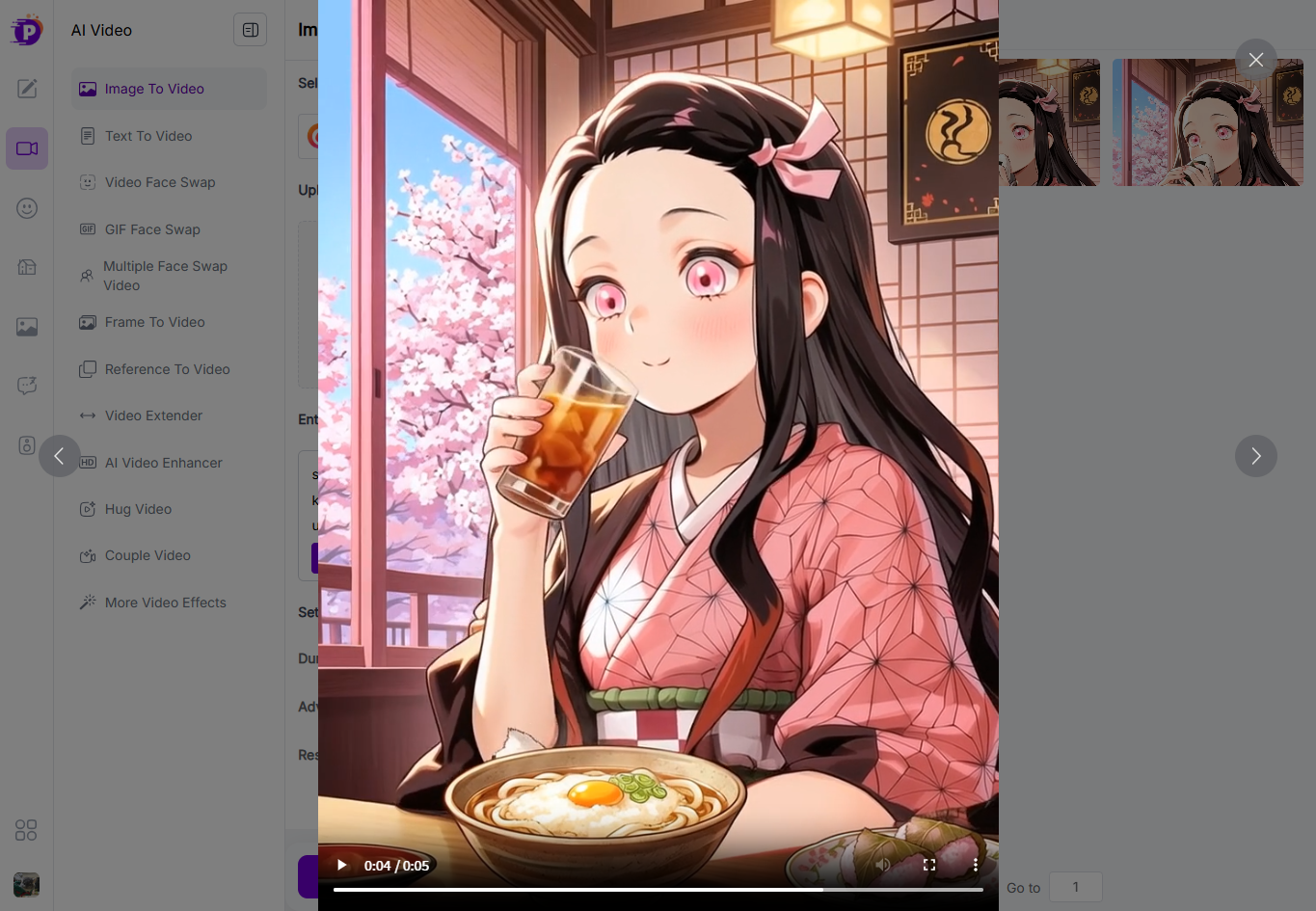
💡Video Tutorial
To give a more intuitive guide, I’ve also prepared a video tutorial showing the full workflow—from uploading a static image to generating a dynamic animation.
https://youtu.be/mGbxiZ7SDr8?feature=shared
Final Thoughts
It’s amazing how easy it has become to bring static anime images to life with AI. What used to require animation skills and complex tools can now be done in just a few steps.
By experimenting with different prompts, models, and animation settings, you can quickly turn simple character images into engaging animated clips. Whether you're creating fun social media content, testing AI creativity, or building a personal project, this workflow opens up a lot of creative possibilities.
If you enjoy anime, AI tools, or creative experimentation, it’s definitely worth trying. Start with a simple image, play with the prompts, and see how your favorite characters can come to life.
Join tingmin on Peerlist!
Join amazing folks like tingmin and thousands of other builders on Peerlist.
0
1
0