

How to Remove Background Music from a Video | Free Online Tool for Clearer Voice & Accurate Transcriptions
Introduction
Do you often watch TikTok or save high-quality short videos? One common problem is that background music can be too loud or fast, making it hard to hear the main voice. This can affect tutorials, interviews, or tips videos, where the content is valuable but voices get buried under BGM.
When you try to transcribe, add subtitles, or remix the video, the fixed audio track can make it impossible to remove background music separately. This not only reduces viewing quality but also slows down content creation and transcription.
With a free online background music remover, you can solve this problem instantly—no software installation, no account signup, and no editing experience required. Keep the original voice intact, remove background music cleanly, and make your videos easier to understand, transcribe, and reuse.
What is a Background Music Remover?
A Background Music Remover is an online tool or AI-powered technology that separates voice from background music in videos or audio files. Its main purpose is to preserve clear speech while eliminating distracting music, improving both viewing and transcription.
Most tools use AI audio separation to distinguish between human voice, music, and ambient noise. After processing, the audio becomes cleaner and ready for subtitles, speech-to-text, or transcription tasks. This technology is widely used to enhance video clarity, increase transcription accuracy, and enable re-editing, remixing, or re-dubbing videos.
How to Remove Background Music from a Video
To remove background music from a video while keeping voices clear, use Magicaudio free online Background Music Remover. It is simple and fast:

Upload Your Video
Open Magicaudio and select a video from your computer or smartphone. Supported formats include MP4, MOV, AVI, WEBM, and less common formats like .m4v or .3gp. TikTok videos can be uploaded directly without conversion.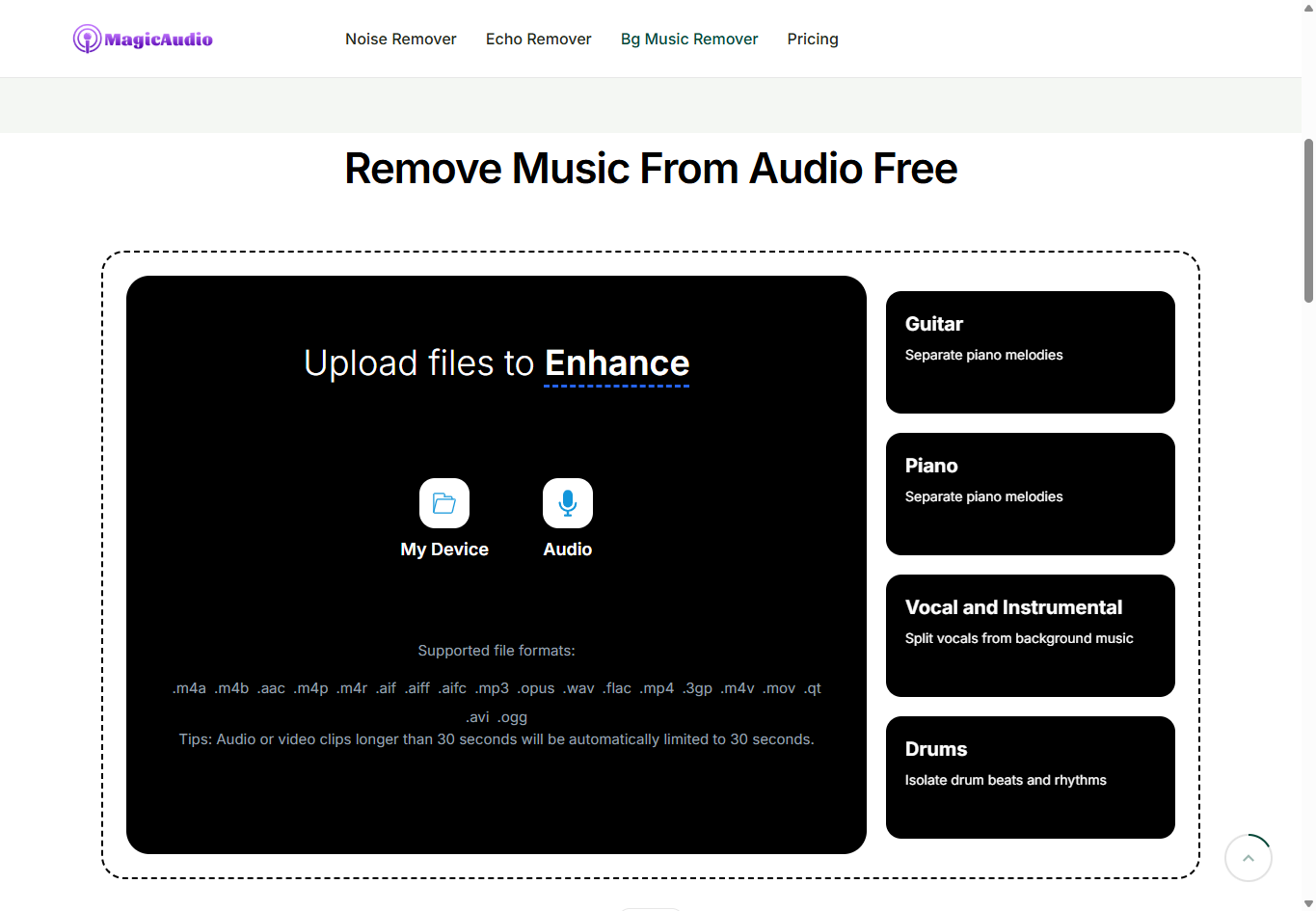
Automatic Audio Processing
Magicaudio’s AI detects and separates background music, voices, and ambient sounds automatically. No settings are required. Within seconds, your video is processed, background music removed, and voices kept clear and natural. Important environmental sounds are preserved.Preview and Download
Preview the processed video. Once you confirm the background music is gone, download it. Original video quality and format are retained, making it ready for transcription, content reuse, or remixing.
Summary
Videos with loud background music can make voices hard to hear and reduce the efficiency of transcription or editing. Using Magicaudio’s free online Background Music Remover, you can easily separate voices from music directly in your browser. No installation or special skills are needed, making it simple to get clear audio and make your content easier to use, whether for subtitles, editing, or repurposing.
Related Reading
You can also check out two related blog posts for more details:

Join tingmin on Peerlist!
Join amazing folks like tingmin and thousands of other builders on Peerlist.
0
0
0