

I Tested Whisper and Audio Transcriber AI
Why the Real Difference Isn’t About Accuracy — It’s About How They Handle Your Audio
As more of our work shifts toward audio—meetings, podcasts, interviews—speech-to-text has quietly become a daily tool rather than a niche feature.
Since Whisper was released by OpenAI, the quality of automatic transcription has improved a lot. In most cases today, accuracy is no longer the real bottleneck.
What actually matters more is what happens after transcription.
Recently, I spent some time using a browser-based tool called Audio Transcriber AI, and it made me rethink how I usually compare transcription tools. The difference between it and Whisper isn’t really about performance. It’s about what level of the stack they operate on.
Audio Transcriber AI: Not Just Transcription, But Structured Output
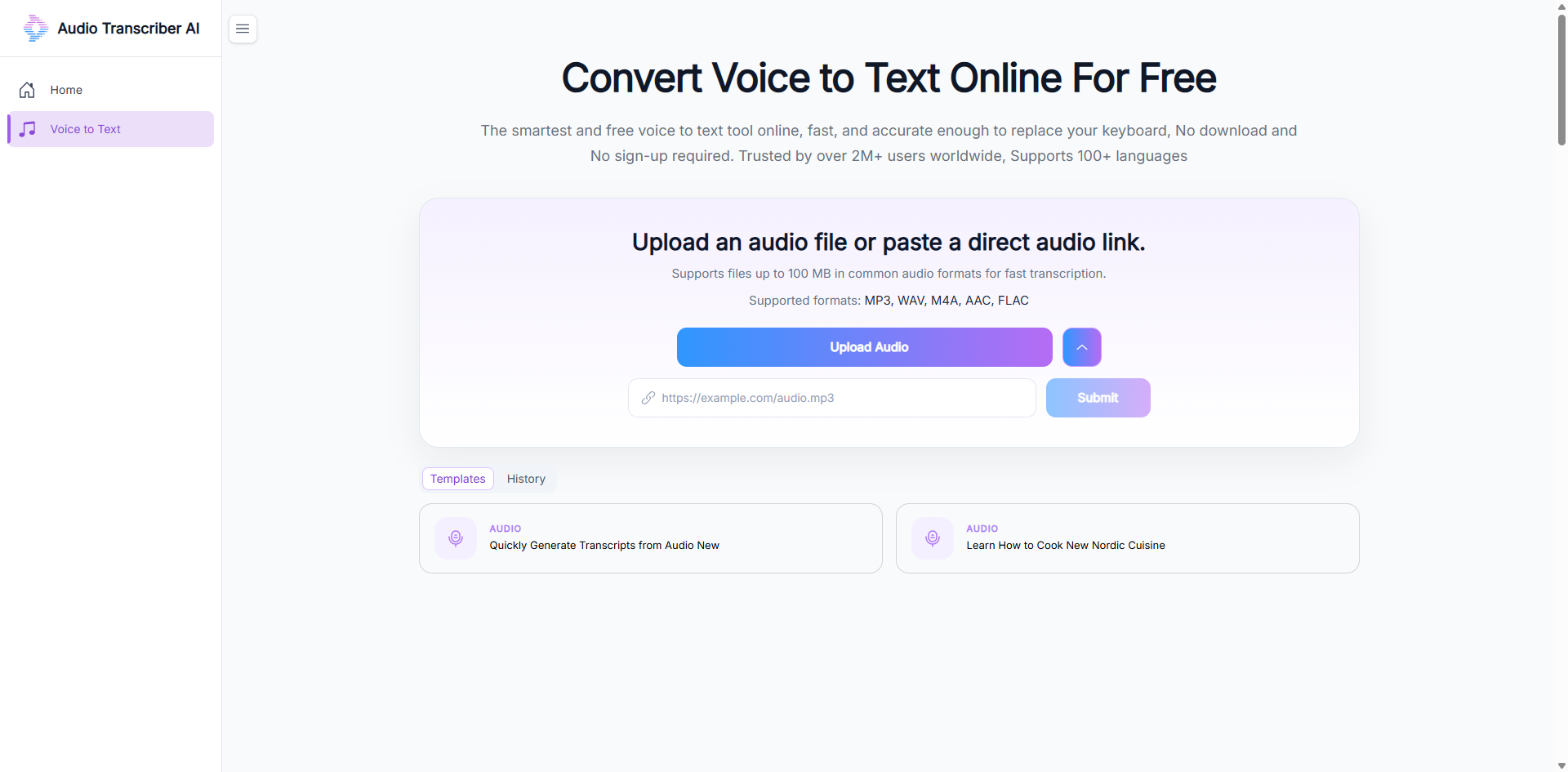
Audio Transcriber AI is a simple web tool: you upload an audio file, wait a bit, and get the result.
But what makes it interesting is not the transcription itself. It’s what comes with it.
Instead of only returning raw text, it produces a structured output:
Transcript (with timestamps)
Chapter breakdown (timestamp-based sections)
Summary (key points tied to the content flow)
Mind Map (hierarchical structure of the conversation)
In other words, it doesn’t just convert audio into text—it tries to turn it into something you can actually work with.
That distinction matters more than it sounds.
Because most of the time, raw transcripts are just the starting point, not the end result.
Whisper: Extremely Capable, but Still Just a Model
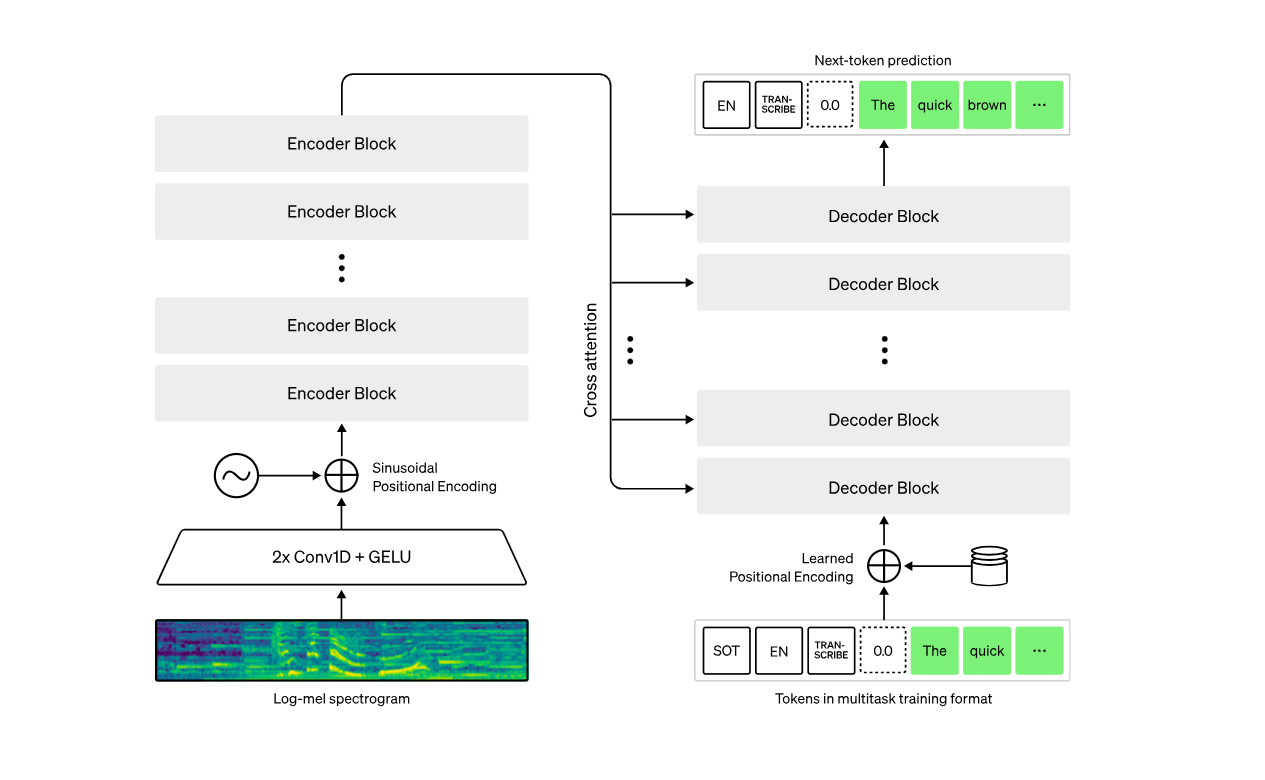
Whisper is still one of the strongest speech-to-text models available today.
It offers:
High-quality transcription
Multilingual support
Local execution options
API integration for developers
But Whisper itself is not a product. It’s a model.
It takes audio in and returns text out—nothing more.
There’s no interface, no structure, and no opinion about how the output should be used.
Everything beyond transcription (chunking, summarizing, organizing) is left to the user.
That’s powerful, but also intentionally minimal.
The Real Difference: Where They Sit in the Stack
After using both, I realized the comparison isn’t really about “which one is better.”
It’s about abstraction level.
Whisper = Infrastructure Layer
Whisper sits at the foundation.
It provides:
audio → text
And stops there.
If you want anything beyond raw output, you need to build it yourself:
segmentation logic
summarization pipeline
UI or interface
workflow design
It’s flexible, but very low-level.
Audio Transcriber AI = Application Layer
Audio Transcriber AI sits on top of that idea.
It assumes you don’t want to build anything—you just want results.
So instead of raw text, it gives you:
Transcript
Chapters
Summary
Mind Map
The output is already structured and ready to use.
Workflow Difference in Practice
The difference becomes much clearer when you look at how each one fits into a workflow.
With Whisper
Upload audio
Get raw transcript
Manually clean and structure text
Extract insights yourself
Build summaries separately
Whisper gives you the raw material, not the finished output.
With Audio Transcriber AI
Upload audio
Wait for processing
Receive structured content directly
There’s almost no extra work after that.
The tool handles both transcription and organization in one step.
Why This Difference Actually Matters
At first glance, this might feel like a convenience feature.
But in practice, it changes how you interact with audio entirely.
Whisper is designed for flexibility. It gives developers full control, but also full responsibility.
Audio Transcriber AI is designed for usability. It removes most of the decisions and gives you something immediately usable.
So the trade-off is pretty clear:
Whisper = control and flexibility
Audio Transcriber AI = speed and structure
Neither is objectively better—they just solve different problems.
Final Thoughts
Whisper is still one of the best foundational models for speech-to-text.
But it’s important to remember what it actually is: a building block, not a finished product.
Audio Transcriber AI, on the other hand, shows what happens when you move up one layer—when transcription becomes part of a larger system for understanding and organizing information.
In real-world usage, that difference matters more than raw accuracy.
Because most of the time, the goal isn’t just to transcribe audio.
It’s to do something with it.

Join tingmin on Peerlist!
Join amazing folks like tingmin and thousands of other builders on Peerlist.
0
0
0