

How I built a super-fast production-grade API
Breakdown of Solo AI API Database Architecture

Hello, I'm Vinay Chaudhary, and today I'm sharing a complete breakdown of the Solo AI Application API — the backbone of my new SaaS, Solo AI. In this article, I'll walk you through my strategies to make the codebase faster, cleaner, and more robust.
My Tech Stack for the API:
Hono with Docker Configuration (fully type-safe with TypeScript)
Drizzle ORM
Postgres Database
R2 and Cloudflare CDN
VPS — 4 core, 6GB RAM (costs me just $5–6/month)
Let's start with the API-level structure. My API has 4 main modules and multiple submodules:
Admin Routes — Responsible for internal operations
Main API Routes — Responsible for all app operations
Mimi Agent Module — Core agentic system
Public-Facing Endpoints — Blogs API, sitemap generation, health checks
The Database Problem
When I started building the API, the first problem I ran into was slow database connections. Most database companies these days offer shared poolers (like Supabase), while some provide direct connection endpoints. I opted for Neon DB to get started, and things went smoothly — until I started hitting performance bottlenecks: connection drops and noticeably higher latency.
To improve DB operation speed and robustness, I implemented DB connection pools with a minimum of 4 and a maximum of 40 connections, alongside 10–20 active worker threads. That helped, but my latency was still the same. I suspect Neon allocates average-spec database servers to free-tier users. I considered upgrading, but the pricing jumped to ~$15/month — too steep for a product not yet generating revenue.
Moving to a VPS
So I started exploring alternatives. I had originally planned to use Cloudflare Workers, but after running the numbers, I dropped that idea and went with a VPS instead. I picked one up for just $5–6/month with solid specs, and subscribed to the Cloudflare R2 plan (free — just needs a card on file).
After getting the VPS, I installed Dokploy to easily set up my CI/CD pipeline. I created 3 projects on the VPS: Main Services, Database, and one more for useful utilities.
Self-Hosting the Database (Safely)
Now, you might be thinking — self-hosting a database is risky. If the server dies, the data gets wiped. To handle that, I set up Postgresus (an open-source DB backup tool), configured it with my database, and pointed the backup destination to R2 buckets.
After self-hosting the DB on my VPS, connecting it to the API, and running all migrations, I saw a massive performance jump, somewhere between 10x and 100x.
Previously, with Neon:
Writes: 200ms–1500ms
Reads: 100ms–500ms
After switching:
Latency dropped to 1ms–4ms consistently for reads
Latency dropped to 50ms - 600ms consistently for writes
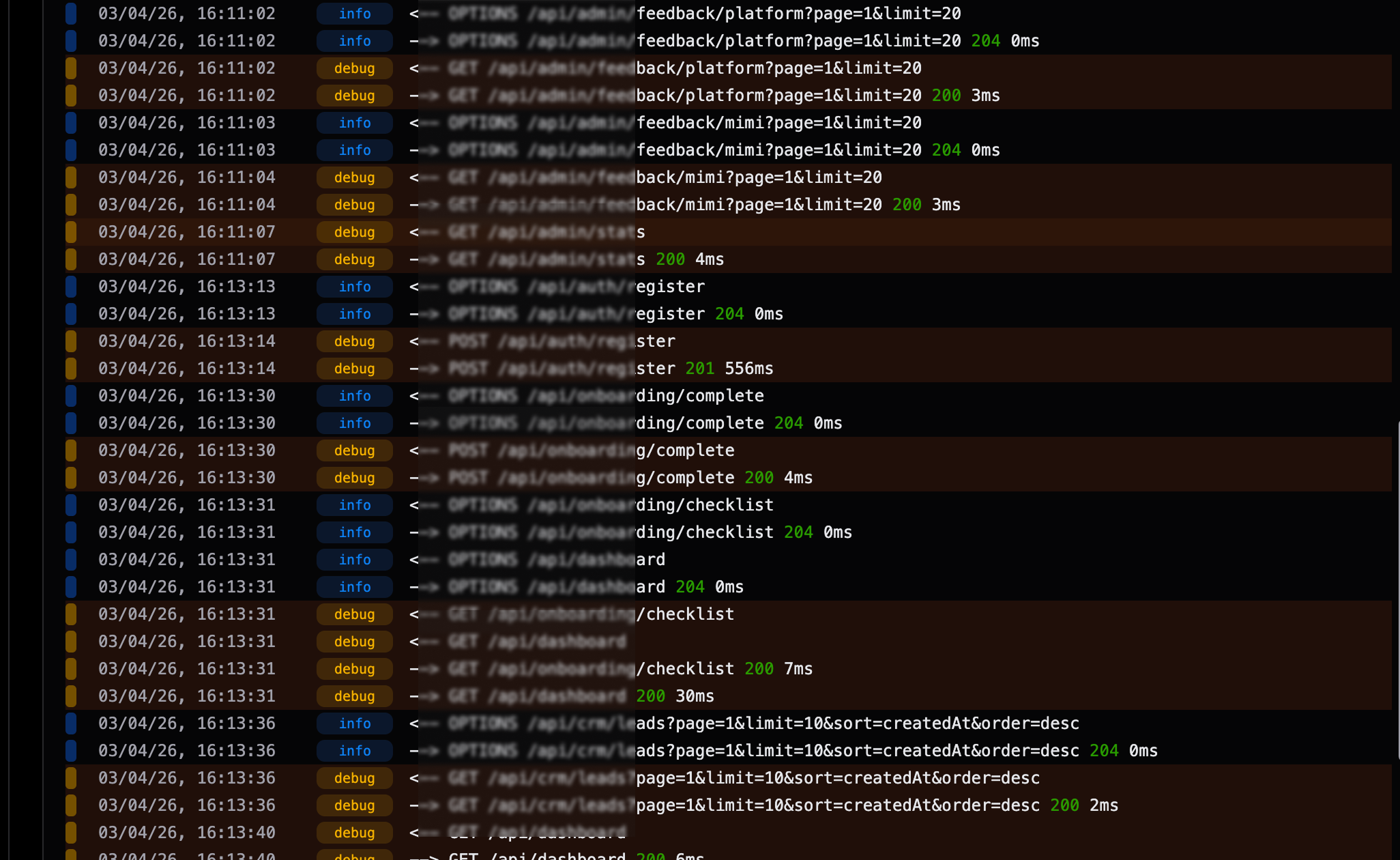
The reason is simple — the DB and API are on the same network, so there's zero communication overhead. Read and write speeds improved drastically.
I also did some Postgres-level optimizations: added indexes and implemented bulk queries (combining multiple subqueries) for requests that need data from several tables simultaneously.
Backups & Disaster Recovery
To make sure I never lose data, I set up two layers of protection:
DB snapshots every hour, retained for 24 hours
Daily backups via Postgresus, stored on S3
So even if I accidentally nuke my database, I can recover from either the snapshots or the backups. And since I'm using Drizzle ORM, I can migrate the schema to any database at any time — no schema lock-in.
What's Next
I'm currently working on a data replication system that syncs the database to a secondary server every 2 minutes (Server B will always be 2 minutes behind Server A). It stores diffs, not full copies, keeping it efficient.
I hope you found this useful! Good things are coming soon — keep the support going. 🙌
Drop a comment if you have questions or ideas to share!

Join Vinay on Peerlist!
Join amazing folks like Vinay and thousands of other builders on Peerlist.
0
5
0