

Unleashing Creative Motion with the Latest Qwen Image to Video Generator
Explore the power of the Qwen AI Video Generator, its models, features, and how AIFaceswap helps you create high-quality videos effortlessly.
Over the past year, AI video generation has advanced faster than anyone expected, with new tools offering smoother motion, richer details, and more flexible control. Among these emerging technologies, the Qwen AI Video Generator has quickly gained attention for its ability to turn static images into dynamic, cinematic footage. Many creators first discovered the Qwen AI Video Generator because they were searching for a tool that balances ease of use with professional results—and that’s exactly why this topic deserves a deeper look.
In this blog, we’re going to explore what makes the Qwen Image-to-Video Generator special, how it compares with standard video models, and how AIFaceswap brings four upgraded Qwen models together in one place to help anyone generate the video they want with minimal effort. Whether you're a casual user, content creator, or someone curious about experimenting with AI-powered visuals, this guide will give you everything you need to get started.
Why Qwen AI Video Generator Outperforms Standard Video Models
Enhanced Motion Understanding
Most traditional video generation models can animate images, but motion often feels rigid, unnatural, or overly linear. Qwen, however, introduces deeper environment and subject recognition, allowing characters and objects to move in ways that feel more human and intuitive. This makes it ideal for portrait animations, stylized sequences, and scenes where subtle gestures matter.
Better Visual Coherence
One of the biggest challenges for typical video generators is maintaining consistency between frames—faces morph, backgrounds shift, and details disappear. Qwen minimizes these issues through stronger temporal modeling, preserving image quality throughout the animation. This is especially valuable for creators who need stable output without spending hours correcting flickering frames.
Wide Creative Range with Strong Style Adaptability
Unlike many basic tools that produce generic motions or limited styles, the Qwen AI Video Generator supports a wide range of visual directions—from realistic motion to stylized animation. It accommodates cosplay edits, cinematic shots, character-driven motion, and even abstract visual sequences. Qwen’s flexible prompt interpretation helps users push creativity further without struggling against model constraints.
Using Qwen Image-to-Video on AIFaceswap
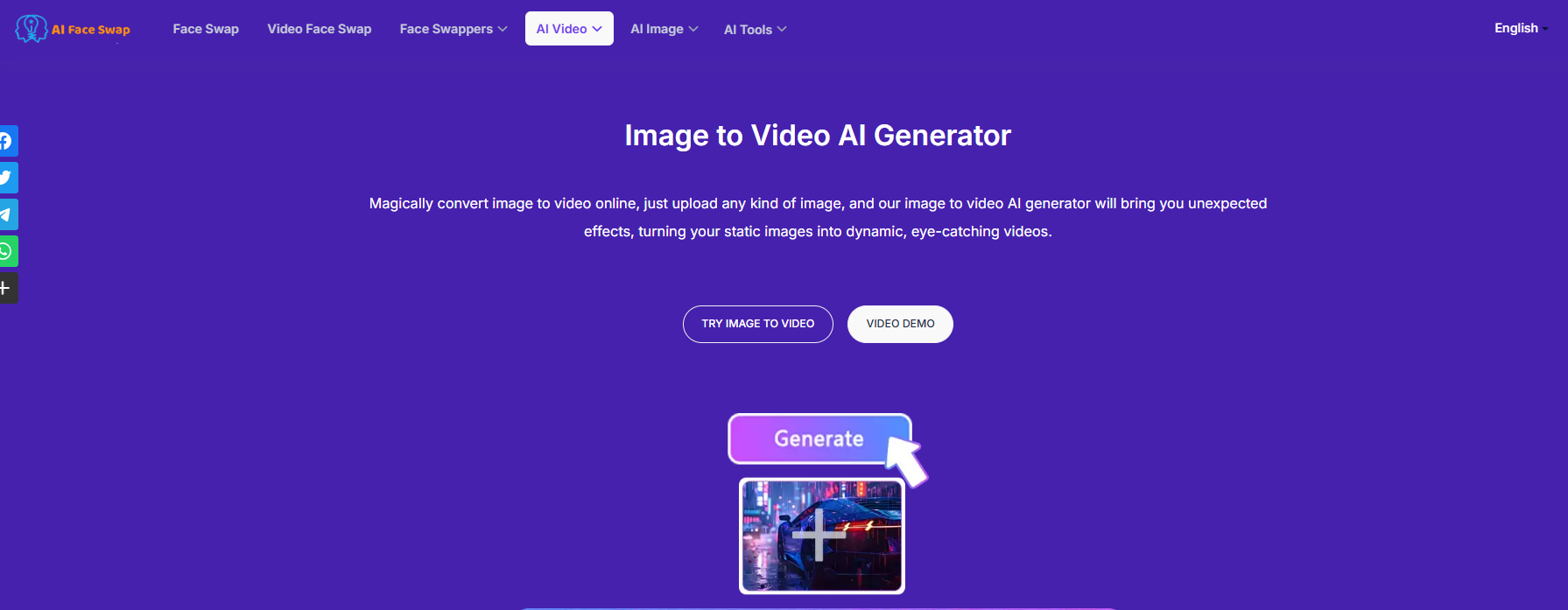
AIFaceswap currently integrates four enhanced versions of Qwen Image to Video, making it easier for users to choose the right model without technical complexity. More importantly, the platform provides a clean, no-login-required workflow—fast, intuitive, and ideal for both beginners and experienced creators.
Overview of the Four Qwen Models on AIFaceswap
Qwen V1 Standard Model
The balanced model suitable for most users. It offers high-quality motion, good stability, and is ideal for general-purpose animation.
Qwen V2 Standard Model
Optimized for human subjects, especially selfies, portraits, VTuber designs, and cosplay transformations. It preserves facial features exceptionally well.
Qwen V2 Pro Fast
Designed for dynamic storytelling—dramatic angles, sweeping motion, or atmospheric environment changes. Perfect for creative sequences.
Qwen V2 Pro
For anime-style motion, vibrant colors, and playful animation effects. Great for fan art, character illustrations, and creative edits.
How to Use AIFaceswap’s Qwen Image-to-Video Tool
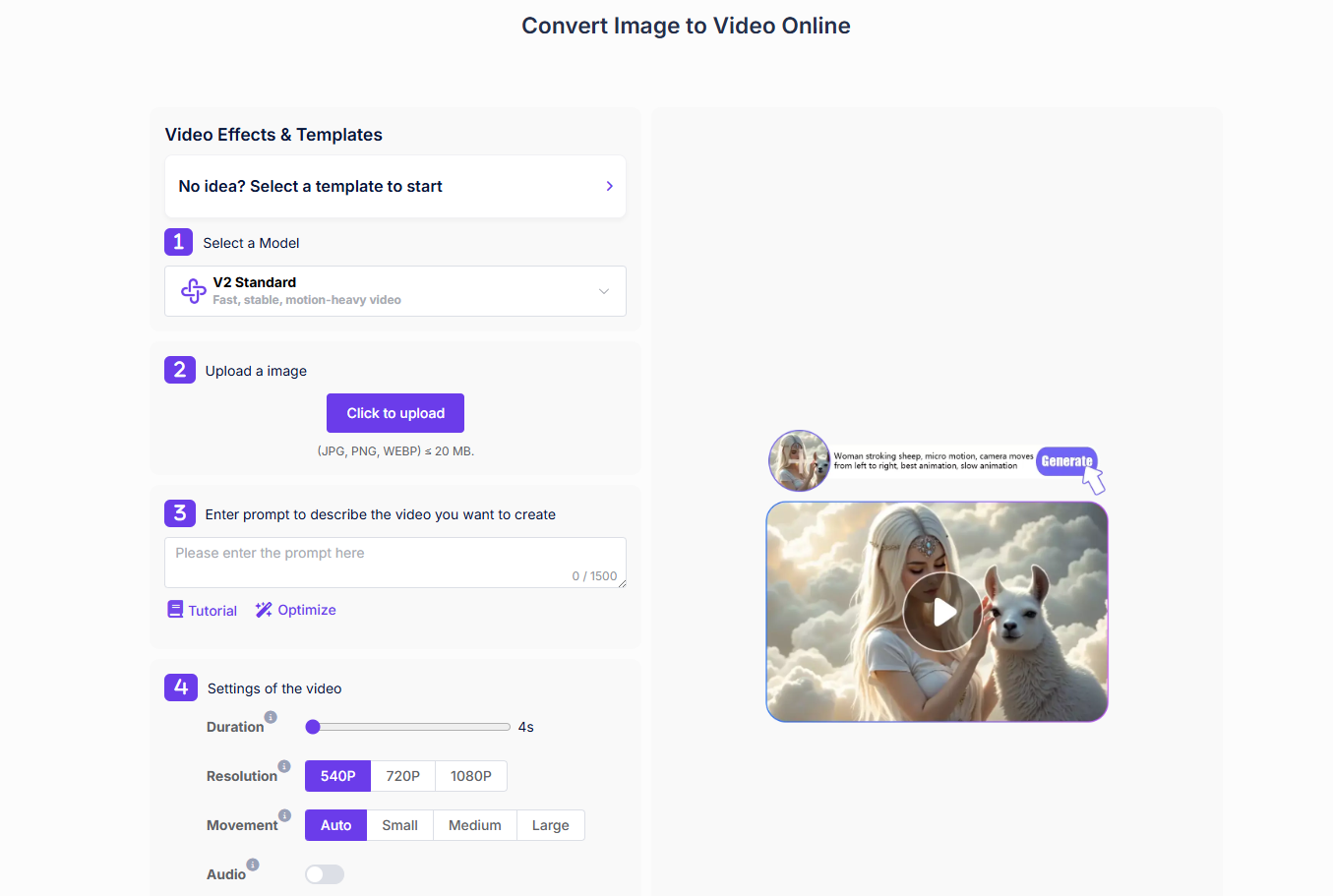
Step 1 – Visit the AIFaceswap Qwen Workspace
Open the Image-to-Video section where the Qwen tools are grouped for easy access.
Step 2 – Upload Your Image
Upload a portrait, artwork, character illustration, or any image you want to animate. The tool accepts most file formats with no size limits.
Step 3 – Select the Qwen Version
Choose one of the four models depending on your target style—portrait, cinematic, stylized, or standard.
Step 4 – Enter or Paste Your Prompt (Optional)
Write a simple motion description like:
“soft wind blowing, character blinking, gentle head tilt, subtle light movement”
The model also supports more complex scenarios.
Step 5 – Use “Optimize Prompt” for Better Results
AIFaceswap includes an automatic prompt enhancement feature, giving users refined, clearer descriptions that improve motion quality dramatically.
Step 6 – Generate and Download Your Video
Click the button to generate your animation. Most results are ready within seconds, and you can download the video instantly.
Key Features That Make AIFaceswap’s Qwen Image-to-Video Tool Stand Out
Four Fully-Optimized Qwen Models
Instead of giving users only one model, AIFaceswap brings four specialized versions that excel in different tasks. Whether you want a realistic talking portrait, a dramatic cinematic shot, or anime-style animation, the platform ensures you get a tailored result.
Built-in Prompt Tutorials & Motion Examples
For users who aren’t familiar with writing prompts, AIFaceswap provides sample prompts, motion patterns, and simple guides. These examples help beginners understand what type of motion descriptions work best and how to get predictable results.
One-Click Prompt Optimization
Even if your initial prompt is unclear, the system can rewrite it into clean, structured motion instructions. This ensures the Qwen AI Video Generator performs at its best without requiring users to master prompt engineering.
High Resolution up to 1080p + Optional Background Audio
AIFaceswap supports high-resolution output (up to 1080p), making the videos suitable for social media, creative projects, promo clips, or personal content. Users can also add optional background audio to make the final video feel more polished.
Conclusion: A Smarter Way to Turn Images into Motion
The Qwen Image-to-Video Generator is quickly becoming one of the most capable tools for transforming static visuals into expressive animations. Paired with AIFaceswap’s clean interface, multiple model options, optimized prompts, and 1080p output, it offers an accessible but powerful way to generate high-quality videos—whether you’re creating content for fun, storytelling, or professional purposes. If you’re looking for a tool that blends flexibility, realism, and creativity, this combination is absolutely worth exploring.

Join Youlanda on Peerlist!
Join amazing folks like Youlanda and thousands of other builders on Peerlist.
0
0
0