

Share Text Online With Link and QR Code
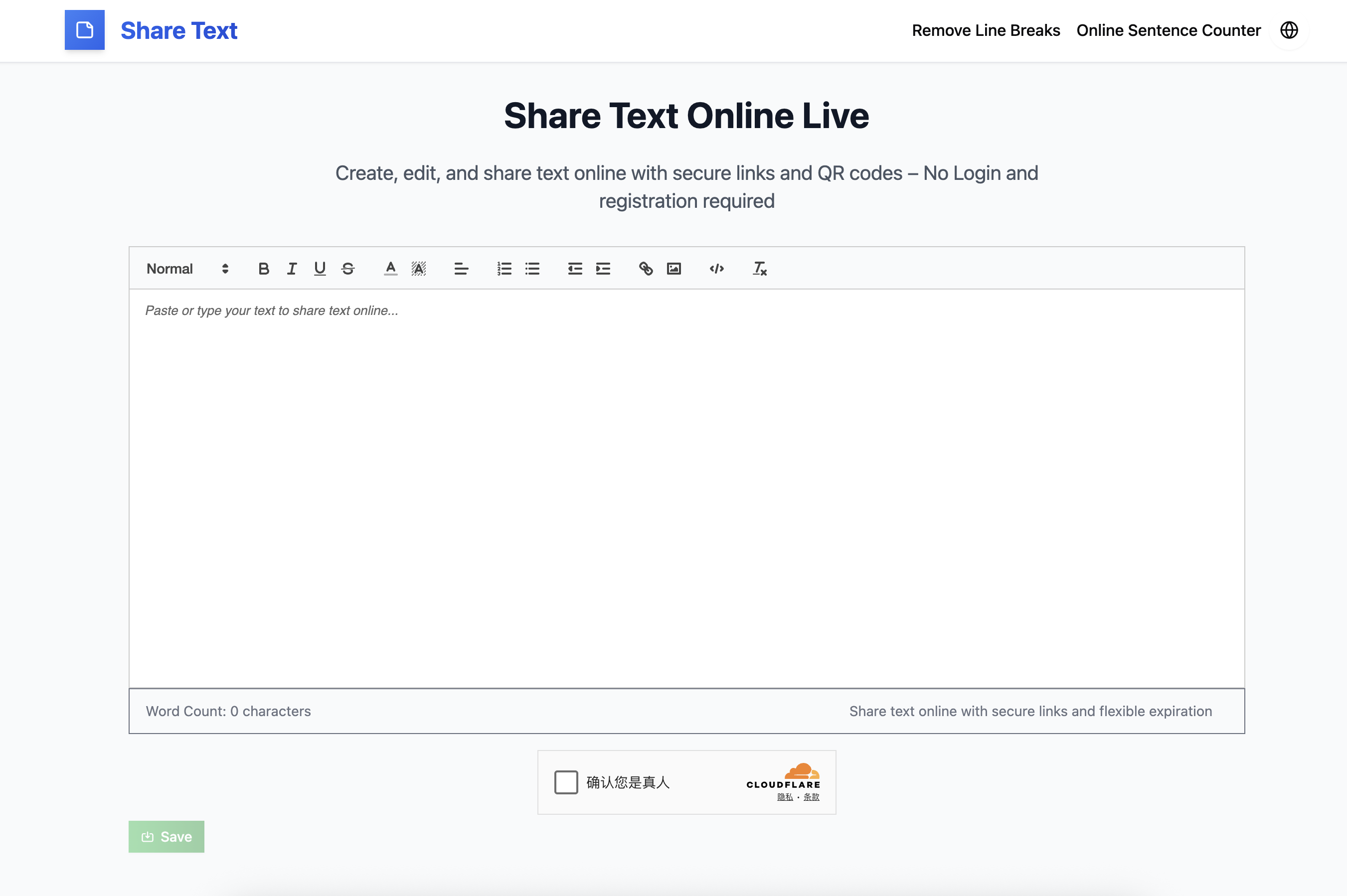
Share Text Online is a lightweight and efficient web platform that allows users to create, save, and share text easily through secure links and QR codes, all without needing to register or log in. It is designed for anyone who wants a quick way to share text-based information — whether that’s notes, ideas, code snippets, or even collaborative drafts — with minimal effort and maximum convenience.
Core Concept
At its heart, Share Text Online is built on the idea of simplicity. In an age where most online tools require sign-ups, email verifications, or complex privacy permissions, Share Text Online strips everything back to the basics: open the page, type or paste your text, and share the link. The interface is clean and distraction-free, enabling users to focus entirely on writing and sharing, rather than on account creation or software setup.
This makes it an excellent alternative to cluttered note-sharing apps, temporary paste services, or message boards. Whether you’re working from a desktop computer, tablet, or smartphone, the website automatically adapts to your screen size and browser environment.
Key Features and Functionalities
Instant Text Sharing
Users can type or paste text directly into the web editor, click a button, and instantly generate a unique link or QR code that others can use to access the text. No external accounts, passwords, or logins are required.Customizable Expiration
When creating shared text, users can set how long the text should remain accessible — ranging from 1 day to 3 months. This feature is perfect for sharing temporary notes, instructions, or private communications that don’t need to stay online forever.Secure and Private
Share Text Online emphasizes data privacy. Each shared note is stored securely, and the generated link is unique, making it hard for others to guess or access without permission. Users maintain full control over who can access their text by simply choosing whom to share the link with.Formatting Support
Unlike basic text dump tools, Share Text Online allows users to apply simple formatting, such as bold, italic, lists, and code blocks. This makes it particularly useful for developers sharing code snippets, writers preparing drafts, or teachers posting formatted notes.Cross-Platform Accessibility
The service works seamlessly on Windows, macOS, Linux, Android, and iOS — directly through modern web browsers. There’s no need for an app installation or plugin, which enhances its portability and accessibility.QR Code Generation
Beyond links, users can generate a QR code for any text they share. This feature is handy for live events, classrooms, or presentations, where people can simply scan the code to access content instantly.Completely Free and Ad-Free
According to the website, the platform is 100% free to use, with no hidden costs, paywalls, or advertisements. This keeps the user experience clean, fast, and professional — ideal for both casual users and working professionals.
Why It Stands Out
The simplicity of Share Text Online sets it apart from other note-sharing and collaboration tools. While platforms like Google Docs, Notion, or Pastebin offer powerful features, they often require user accounts and involve more complexity than necessary for quick sharing. Share Text Online’s login-free and frictionless model makes it perfect for quick, temporary, or one-off text exchanges.
Furthermore, its QR code generation and link expiry options provide a blend of modern convenience and data control that is rare in free tools. Users can decide how long their information remains accessible, preventing unwanted long-term exposure of content.
Use Cases and Practical Scenarios
Developers: Share small code samples or configuration snippets with teammates during debugging or peer reviews.
Writers and Bloggers: Draft or share short paragraphs, quotes, or content ideas quickly.
Students and Teachers: Distribute notes, reminders, or small assignments without using email or messaging groups.
Event Organizers: Display a QR code during presentations so attendees can scan and view text materials instantly.
Remote Teams: Share temporary notes or task descriptions that auto-expire after a few days, keeping content fresh and uncluttered.
Security and Limitations
While the platform highlights security and convenience, users should be aware that it’s best suited for non-sensitive information. Shared links, though randomly generated, can be accessed by anyone who has the URL. Therefore, confidential or personal data should not be shared through public links.
Additionally, as a lightweight service, it doesn’t offer collaborative editing, version history, or advanced permission management like enterprise tools. However, these trade-offs are intentional — they keep the experience fast, anonymous, and simple.
Final Thoughts
In summary, Share Text Online (share-text.org) is an elegant and practical web application for anyone who values speed, privacy, and simplicity when sharing text. It eliminates unnecessary steps like registration, logins, or software downloads, providing an instant, browser-based solution.
Its user-friendly interface, automatic QR code generation, expiration control, and complete freedom from ads make it an appealing choice for professionals, students, and casual users alike. Whether you’re sharing a few lines of code, drafting temporary notes, or sending quick messages, Share Text Online delivers exactly what its name promises — a straightforward, modern way to share text online.
other tools: https://share-text.org/remove-line-breaks

Join zifang on Peerlist!
Join amazing folks like zifang and thousands of other builders on Peerlist.
2
32
0