

Why Your Website Speed Matters More Than Your Perfect Design
The 3-Second Rule That's Killing Your Conversions
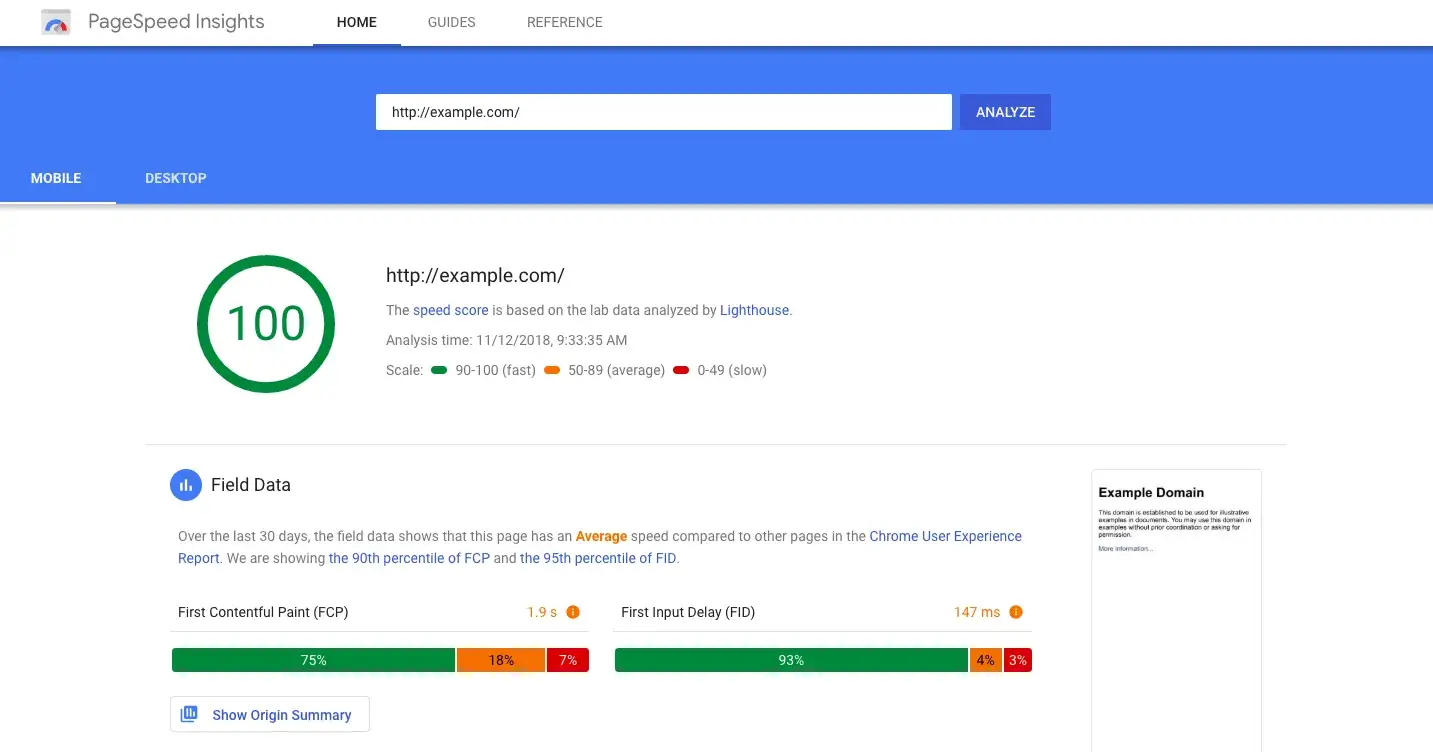
Your beautiful website design means nothing if users never see it.
Research shows that 53% of mobile users abandon sites that take longer than 3 seconds to load. Think about that. You spend weeks perfecting your UI, choosing the right colors, crafting compelling copy. But if your site is slow, over half your visitors leave before experiencing any of it.
As developers and designers, we often obsess over pixel-perfect layouts while ignoring the foundation that makes everything possible: performance.
The Real Cost of Slow Websites

User Experience Impact
Slow websites create frustrated users. Every extra second of load time increases bounce rates exponentially. Users expect instant gratification, especially on mobile devices where they might be on slower connections.
Your competitors understand this. While you're losing visitors to slow load times, they're capturing those users with faster experiences.
SEO Consequences
Google's Core Web Vitals are now official ranking factors. Your site's speed directly affects your search visibility. Page speed influences:
Search engine rankings
User engagement metrics
Mobile search performance
Overall site authority
Business Revenue Loss
Amazon found that every 100ms delay costs them 1% in sales. For e-commerce sites, this translates to thousands in lost revenue. Even for service-based businesses, slow sites reduce lead generation and user trust.
The Biggest Performance Killers
Images: The Silent Speed Destroyers
Images typically account for 60-70% of a webpage's total size. Most developers upload high-resolution photos without optimization. A single uncompressed image can be larger than your entire JavaScript bundle.
Common image mistakes:
Using PNG for photographs
Serving desktop-sized images to mobile users
Ignoring modern formats like WebP
Missing lazy loading implementation
JavaScript Bloat
Modern frameworks make development easier but often at the cost of performance. Your React app might load 500KB of JavaScript before users see any content. This is especially problematic on mobile devices with limited processing power.
Third-Party Scripts
Analytics tools, chatbots, social media widgets. Each third-party script adds network requests and processing overhead. Many developers add these without considering their cumulative impact.
Practical Optimization Strategies
Image Optimization Techniques
Start with your images since they offer the biggest wins:
Convert to modern formats: WebP reduces file sizes by 25-50% compared to JPEG
Implement responsive images: Serve appropriately sized images for different screen sizes
Use lazy loading: Load images only when users scroll to them
Compress without quality loss: Tools can reduce file sizes significantly while maintaining visual quality
Code Optimization
Minify CSS and JavaScript: Remove unnecessary characters and whitespace
Enable gzip compression: Compress text-based resources before sending to browsers
Use content delivery networks (CDNs): Serve assets from servers closer to your users
Implement code splitting: Load only the JavaScript needed for each page
Database and Server Optimization
Optimize database queries: Reduce unnecessary database calls
Enable browser caching: Let browsers store static resources locally
Use HTTP/2: Take advantage of improved protocol efficiency
Choose quality hosting: Server response time affects everything else
Measuring Performance Like a Pro
Essential Metrics to Track
Core Web Vitals are your primary focus:
Largest Contentful Paint (LCP): How quickly main content loads
First Input Delay (FID): How quickly your site responds to user interactions
Cumulative Layout Shift (CLS): How much your layout shifts during loading
Tools for Performance Monitoring
Google PageSpeed Insights: Free analysis with specific recommendations
WebPageTest: Detailed waterfall charts and performance breakdown
Lighthouse: Built into Chrome DevTools for easy testing
GTmetrix: Comprehensive performance reports with historical tracking
Building Performance into Your Workflow

Development Best Practices
Make performance a priority from day one, not an afterthought. Include performance budgets in your project planning. Set limits on bundle sizes, image dimensions, and third-party scripts.
Performance checklist for every project:
Optimize images before uploading
Minimize HTTP requests
Test on slow networks and devices
Monitor real user metrics
Regular performance audits
Team Communication
Help stakeholders understand performance impact. Show them the connection between site speed and business metrics. Use tools to demonstrate performance improvements in terms they care about: conversions, user engagement, search rankings.
The Performance-First Mindset
Fast websites aren't just about technical excellence. They demonstrate respect for your users' time and create better experiences for everyone. When you prioritize performance, you're prioritizing your users.
Performance optimization is an ongoing process, not a one-time task. Technology evolves, user expectations change, and your content grows. Regular monitoring and optimization keep your site competitive.
Your Performance Journey Starts Now
Every millisecond matters in today's digital landscape. Users have endless options, and they'll choose the fastest, most responsive experience available.
Start with one optimization technique this week. Maybe it's converting your largest images to WebP format, or implementing lazy loading for your image gallery. Small improvements compound over time.
What's the slowest part of your current project? Have you measured your Core Web Vitals lately?
Share your performance optimization wins and challenges in the comments. Let's help each other build faster, better web experiences.

Join Pratham on Peerlist!
Join amazing folks like Pratham and thousands of other builders on Peerlist.
1
10
2